
Using Speakflow
 Using Speakflow
Overlay (Virtual Teleprompter for Zoom, Google Meet, etc)
See video conferencing apps underneath your script.
Using Speakflow
Overlay (Virtual Teleprompter for Zoom, Google Meet, etc)
See video conferencing apps underneath your script.
 Using Speakflow
Teleprompter Scroll Modes (Auto, Manual & Flow)
Choose how to scroll your text: set pace (Auto), voice (Flow), or manually.
Using Speakflow
Teleprompter Scroll Modes (Auto, Manual & Flow)
Choose how to scroll your text: set pace (Auto), voice (Flow), or manually.
 Using Speakflow
Recording Video
Need to record a quick video? You can use Speakflow to record videos using your webcam.
Using Speakflow
Recording Video
Need to record a quick video? You can use Speakflow to record videos using your webcam.
 Using Speakflow
Syncing Devices (with Remote Mode)
Remotely control/sync other devices.
Using Speakflow
Syncing Devices (with Remote Mode)
Remotely control/sync other devices.
 Using Speakflow
Version History
Keep track of changes and revert to older versions
Using Speakflow
Version History
Keep track of changes and revert to older versions
 Using Speakflow
Teleprompter Mirroring
Flip the text for use with physical teleprompters
Using Speakflow
Teleprompter Mirroring
Flip the text for use with physical teleprompters
 Using Speakflow
Teams
Collaborate with your team – share scripts and access to all Pro features.
Using Speakflow
Teams
Collaborate with your team – share scripts and access to all Pro features.
 Using Speakflow
Organizing your Team with Workspaces (Formerly Groups)
Create private workspaces for your team members.
Using Speakflow
Organizing your Team with Workspaces (Formerly Groups)
Create private workspaces for your team members.
 Using Speakflow
Voice Commands
Restart, jump to the next paragraph, and more with voice commands.
Using Speakflow
Voice Commands
Restart, jump to the next paragraph, and more with voice commands.
 Using Speakflow
Changing Script Language
We support multiple languages.
Using Speakflow
Changing Script Language
We support multiple languages.
 Using Speakflow
Labels
Use labels to organize your scripts
Using Speakflow
Labels
Use labels to organize your scripts
 Using Speakflow
Teleprompter Shortcuts
Learn how to use hardware shortcuts
Using Speakflow
Teleprompter Shortcuts
Learn how to use hardware shortcuts
 Using Speakflow
Bookmarks
Bookmark sections of your scripts for easier navigation
Using Speakflow
Bookmarks
Bookmark sections of your scripts for easier navigation
 Using Speakflow
Mobile Video Downloads
You can download your video recording from Speakflow and find it in your phone's file management app.
Using Speakflow
Mobile Video Downloads
You can download your video recording from Speakflow and find it in your phone's file management app.
 Using Speakflow
Video Downloads
Download your Speakflow video recordings
Using Speakflow
Video Downloads
Download your Speakflow video recordings
 Using Speakflow
Public Link Sharing
Public link sharing is a way of sharing your presentation while maintaining one-way control.
Using Speakflow
Public Link Sharing
Public link sharing is a way of sharing your presentation while maintaining one-way control.
 Using Speakflow
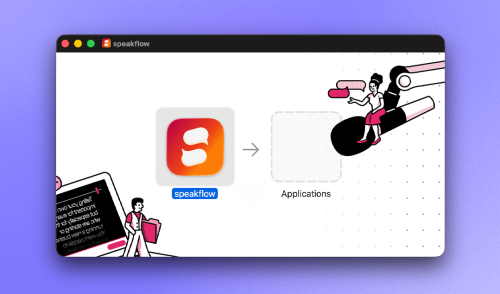
Speakflow Desktop App Overview
Getting started with Speakflow's Desktop App
Using Speakflow
Speakflow Desktop App Overview
Getting started with Speakflow's Desktop App
 Using Speakflow
Organizing Scripts with Folders
Folders keep your scripts tidy. Here's how to get started.
Using Speakflow
Organizing Scripts with Folders
Folders keep your scripts tidy. Here's how to get started.