
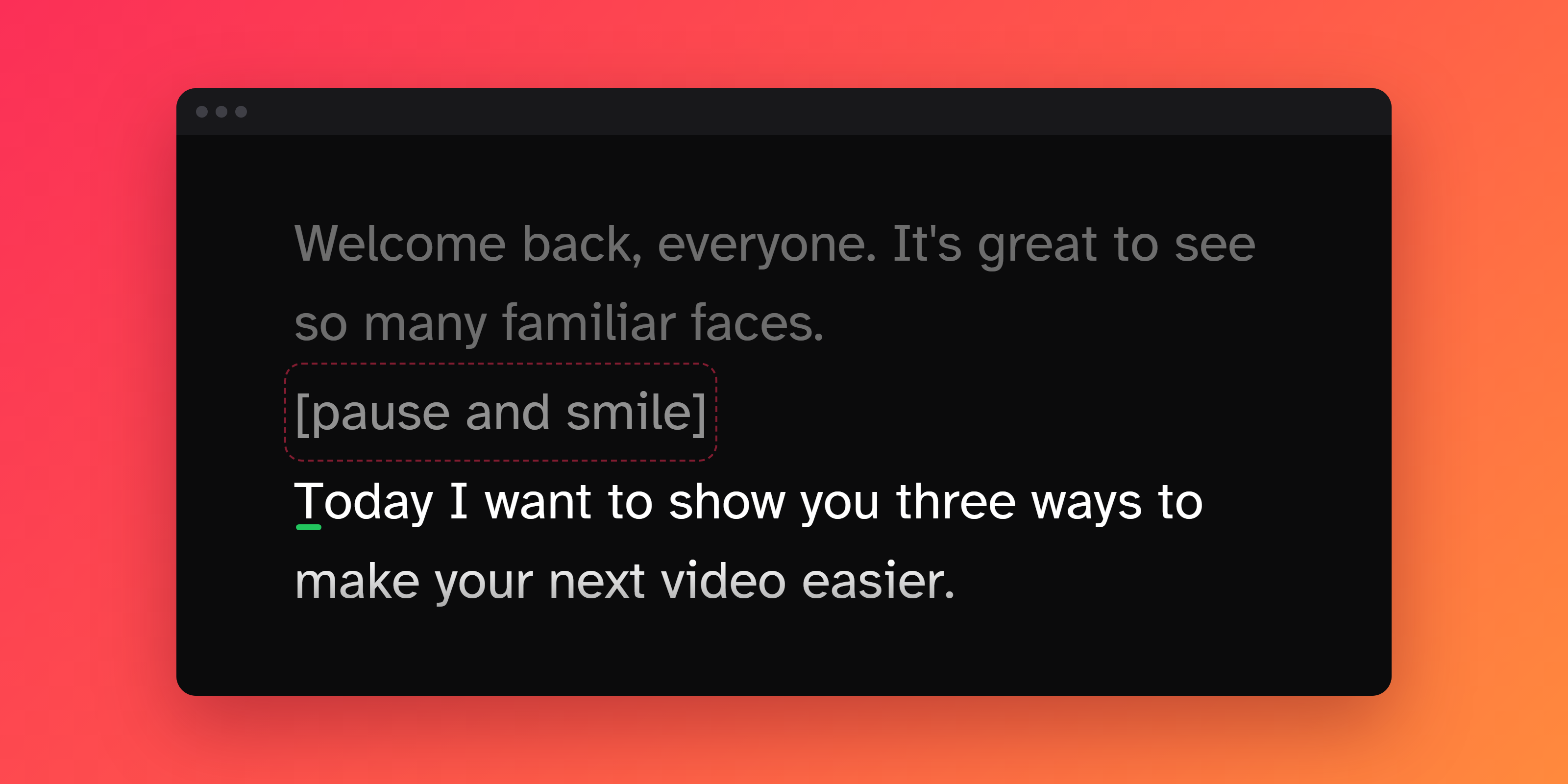
Square brackets let you keep notes in your script that you don't read aloud. Anything you wrap in [square brackets] stays on screen, slightly faded, and Flow voice tracking skips right over it.
What brackets do
When you wrap text in brackets:
- It shows up faded on the teleprompter, so it's easy to tell apart from the words you read.
- Flow voice tracking ignores it. The prompter won't wait for you to say it, and saying it anyway won't throw off your place.
Brackets don't change anything when you scroll at a steady speed or advance manually. The text still scrolls by like the rest of your script.
When to use them
- Stage directions and cues: [pause], [smile], [look at camera 2], [slide 4]
- Reminders to yourself: [slow down here], [breathe]
- Names and jargon Flow might not recognize: product names, acronyms, unusual names, or words in another language
- Pronunciation hints: Nguyen [win]
- A repeated phrase that keeps tripping up Flow: bracket one copy and Flow will stop holding back there
How to add brackets
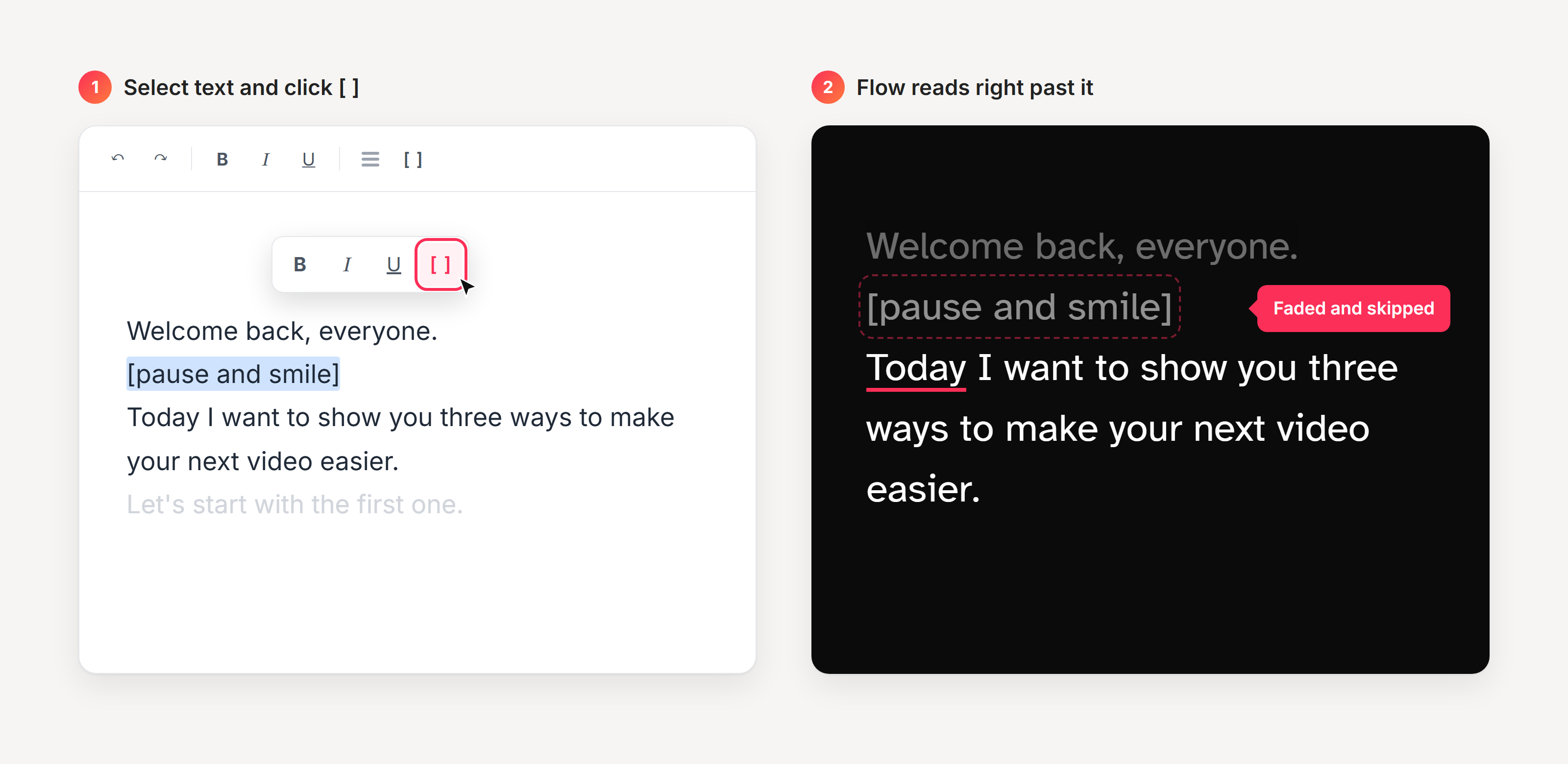
You can type [ and ] yourself, or use the brackets button in the editor:
- Select the text you want to bracket.
- Click the [] button in the toolbar, or in the small toolbar that pops up over your selection.
- To remove brackets, select the bracketed text, including the brackets, and click [] again.
Good to know
- Brackets work on a single word or a whole passage. A bracket can start in one place and end several words later.
- Always close your brackets. If you forget the ], everything after the [ is treated as a note until the next ].
- Bracketed words can't be used as your starting point in Flow. Flow begins listening at the first word that isn't in brackets.
Questions? We're happy to help. Reach us at team@speakflow.com.