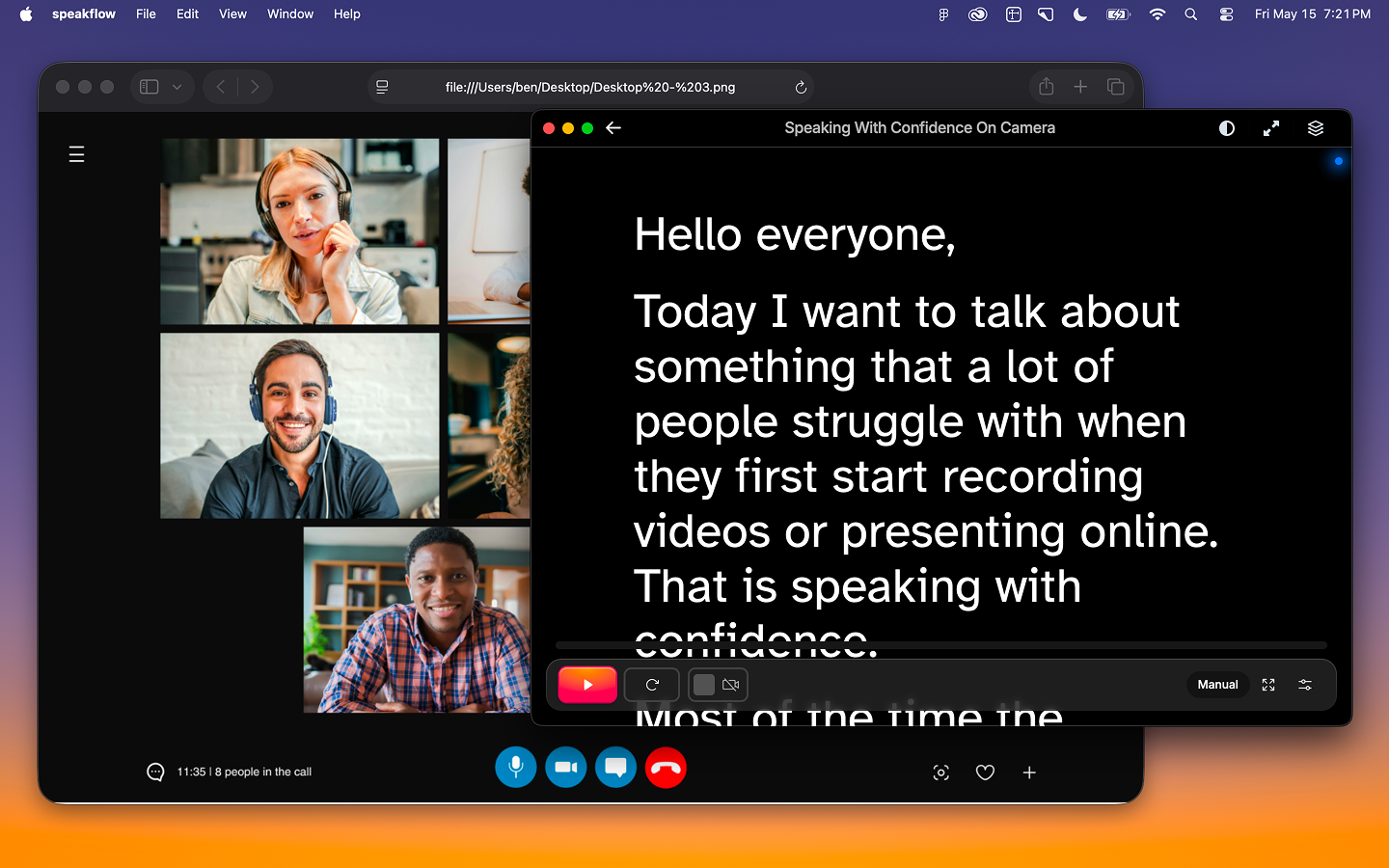
speakflow-desktop-app-header.png874.12 KBSpeakflow Desktop is currently in beta. Features are still evolving, and your feedback helps shape what comes next.
Speakflow Desktop puts your teleprompter in a floating window that stays on top of everything else on your screen. Read your script while you're on Zoom, recording in Loom, presenting slides, or working in a studio app — without switching tabs or losing your place.
What you get
• Always on top — The Speakflow window floats above your other apps so your script stays visible no matter what you're doing. Passthrough allows you to continue using apps behind the teleprompter screen (such as slides).
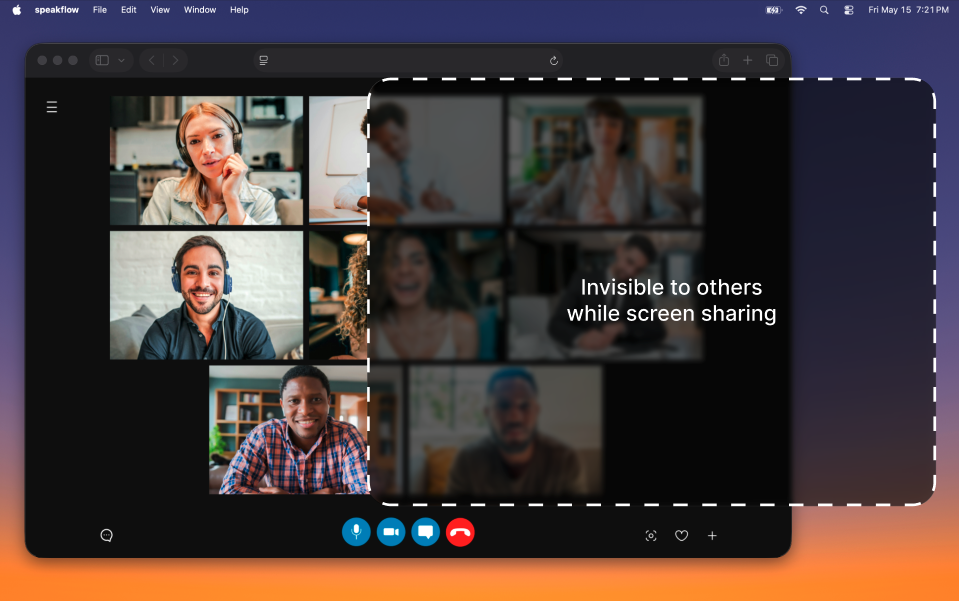
• Invisible to screensharing and recording — The teleprompter is visible to you and you alone by default. It's invisible to screen capture, screenshots, and screen sharing. Screenshot 2026-05-21 at 6.47.45 PM.png522.52 KB
• Adjustable opacity — Fade the window so your script blends with whatever is behind it.
• Your same account and scripts — Everything syncs with your Speakflow web account. There's no separate library to manage.
Using with Slides
We're just getting started
Speakflow Desktop is in active beta. If you run into something or have a request, your feedback during beta directly shapes where the app goes next. We built a feedback button right into the app so you can contact us! Thank you!
Ready to try Speakflow?
Write a script, hit record, and read naturally. Free to start.