Folders keep your scripts tidy. Here's how to get started.
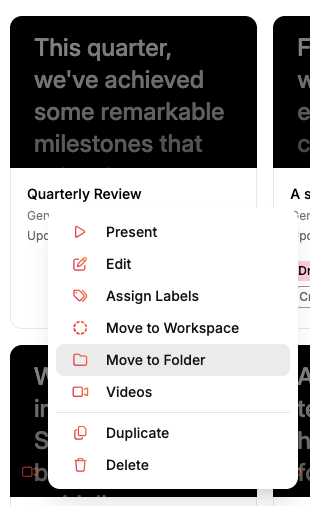
Create your first foldermove_to_folder.png38.9 KB
Click the three dots (···) on a script tile to open its menu, choose Move into folder, then pick New Folder from the dropdown. Give it a name and your script drops right in.
Quick way: right-click an empty area of your scripts list and choose New Folder.
Once you've created a folder, a New Folder button appears so you can add more with a single click.
On mobile
Press and hold a script tile and choose Move into folder. From there you can drop it into an existing folder or create a new one right in the modal.
Add scripts to a folder
• Drag a script and drop it onto the folder.
• To move several at once, draw a selection box around them (click and drag across empty space), then drag the whole group onto the folder.
Scripts inside a folder are tucked out of your main list to keep things clean. Click a folder to open it and see what's inside.
Add scripts to a workspace
• Drag a script and drop it into the workspace in the sidebar.
Ready to try Speakflow?
Write a script, hit record, and read naturally. Free to start.