Download a copy of your script to edit, print, or share outside Speakflow. Scripts export as Word (.docx) files.
Download your script
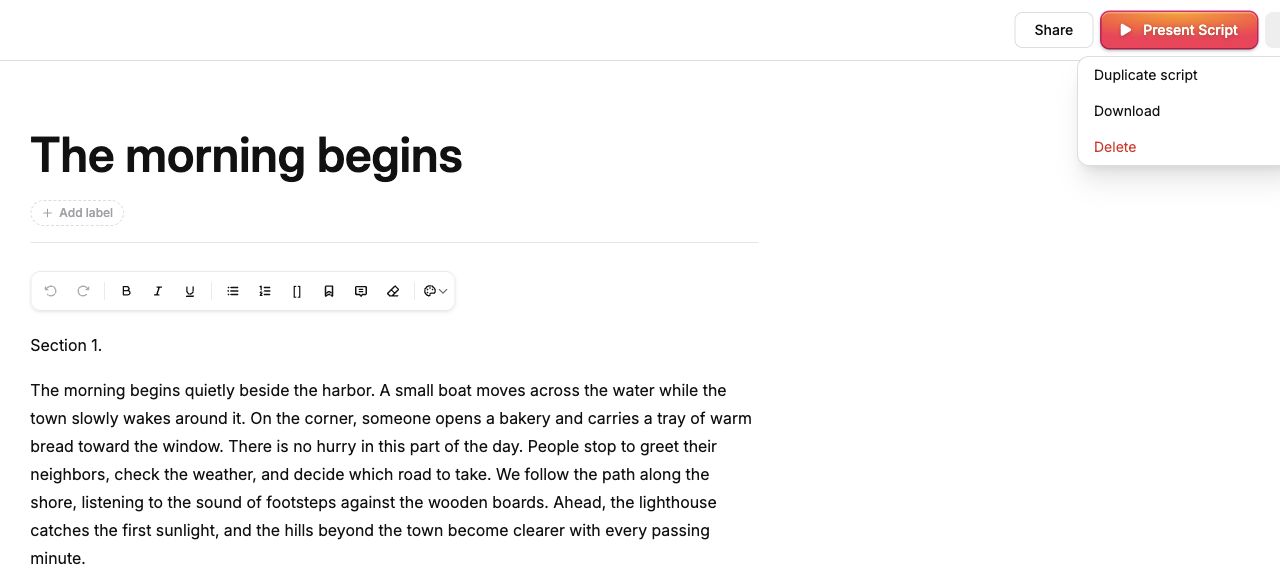
1. Go to Your Scripts and open the script you want to export. 2. Click More options (the three dots) in the top-right corner of the script editor, next to Present Script. 3. Choose Download. 4. Your browser downloads a .docx file named after your script. Look in your browser’s downloads or your Downloads folder.
The More options menu in the script editor: speakflow-export-menu.jpg61.23 KB
Ready to try Speakflow?
Write a script, hit record, and read naturally. Free to start.