
Every video you record or upload in Speakflow can be downloaded to your computer or mobile device. Here's how it works.
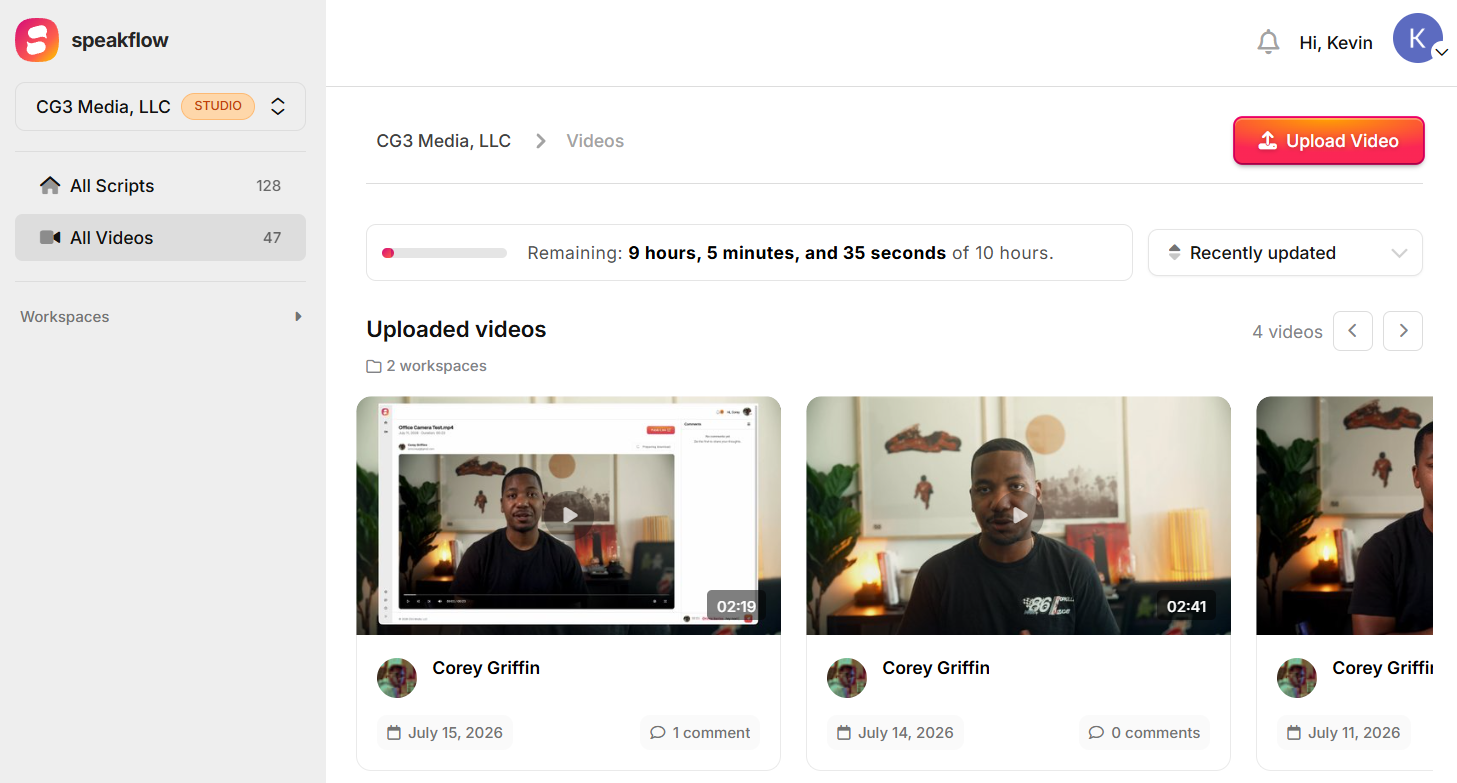
Where to find your videos
All of your videos live in the Videos section of your account, grouped by script. Open any video to watch it, share it, or download it.
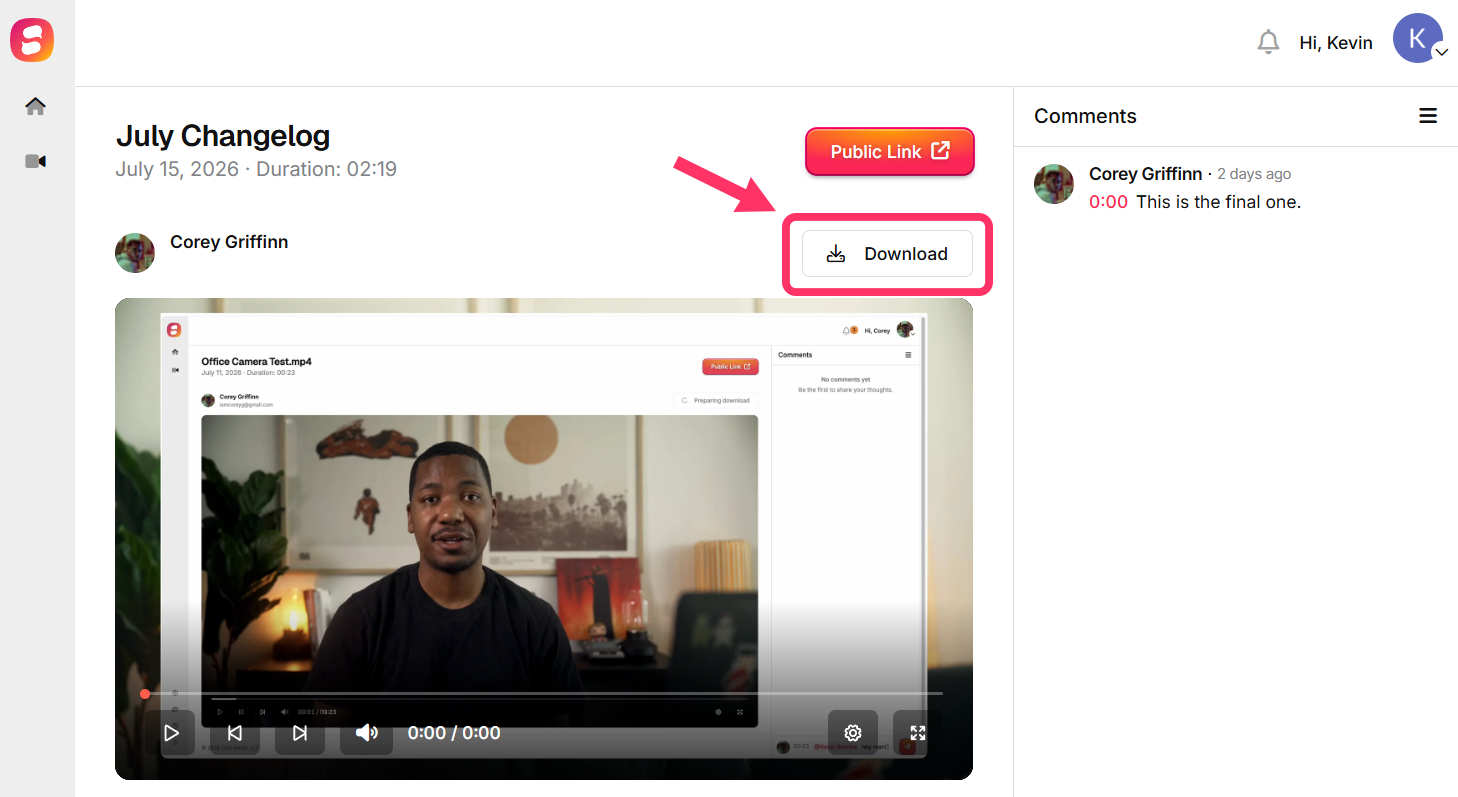
Downloading on desktop browser
1. Open the video you want to download.
2. If the video is still processing, you'll see a "Preparing download..." message. Hang tight — the page updates automatically.
3. Once it's ready, click the "Download video" button. Your video saves straight to your computer as an MP4.
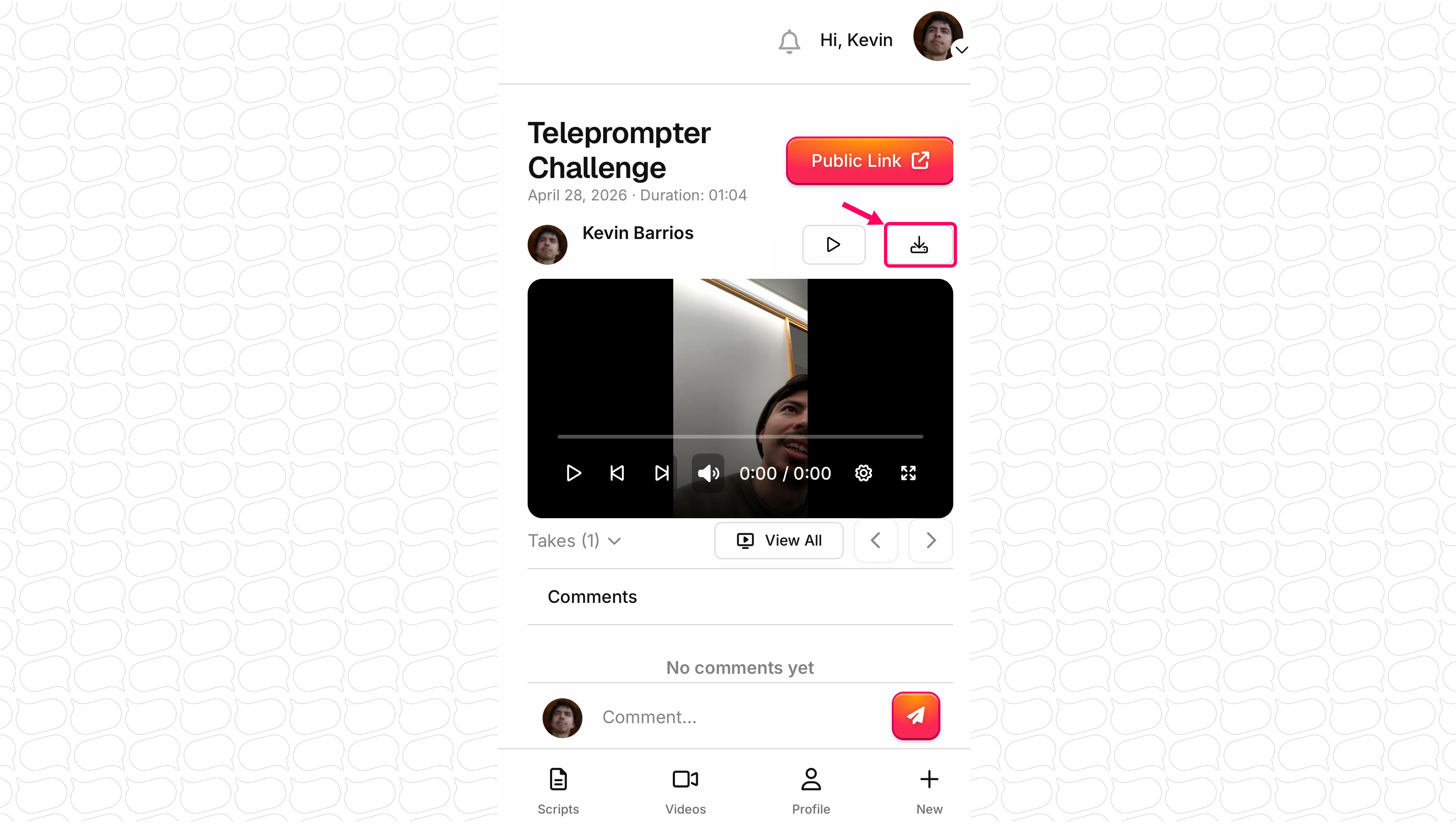
Downloading on mobile browser
The steps are the same on your phone — open the video and tap the download icon. Where the file lands depends on your device:
- iPhone or iPad: Safari will ask you to confirm the download. You'll find the file in the Files app, inside your Downloads folder.
- Android: The video saves to your Downloads folder, and you'll see it in your notifications.
Check here for more specific instructions for downloading your videos on iOS and android.
Processing time
After you finish recording, your video needs a short time to process before it's ready. Most videos are ready within a few minutes — longer recordings take a bit longer. You don't need to refresh the page; the video appears as soon as it's done.
The first time you download a video, preparing the file can take an extra moment even after the video is playable. The download button activates automatically when it's ready.
File type
Recorded videos download as high-quality MP4 files, which play on Windows, Mac, Android, and iOS — no special software needed.
If you uploaded a video to Speakflow (MP4, MOV, or WebM), you can use "Download Original" to get the exact file you uploaded, in its original format.
Troubleshooting
- Stuck on "Preparing download..."? Longer videos take longer to prepare — in rare cases up to 10 minutes. Leave the page open, or come back and try again shortly.
- Video failed to process? Occasionally a recording doesn't process correctly. You'll see a warning on the video page. Try recording again, and if the problem continues, contact us at team@speakflow.com.
- Download didn't start on mobile? Check your browser's downloads list (on iPhone, the arrow icon in Safari's address bar; on Android, your notifications or the Downloads app). If it's not there, tap the download icon again.
Questions? We're happy to help — reach us at team@speakflow.com.