If you make videos for YouTube, online courses, or social media, using the right tools saves time and keeps your process simple. A good setup improves your workflow and the final quality of your videos. This guide details five tools, including the best teleprompter software, that solve common problems for creators.
1. Teleprompter Software to Nail Your Delivery: Speakflow
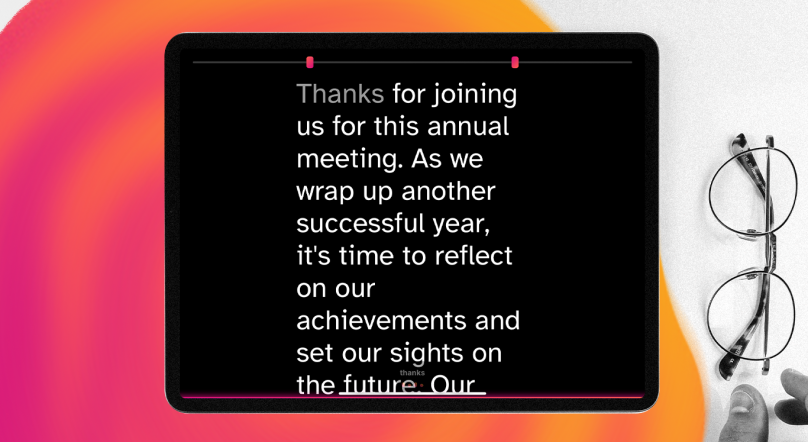
Looking away from the lens to check notes makes you seem disconnected from your audience. A teleprompter solves this by displaying your script directly in your line of sight. This helps you maintain eye contact and deliver lines with confidence.
Why Speakflow is a good choice:
Speakflow is a browser-based tool, which means no installation is needed. It works on your computer, tablet, or phone.
- Voice-Activated Scrolling: The script scrolls automatically as you speak. It naturally follows your pace, pausing when you pause.
- Cloud Synchronization: Write your script on a desktop and record using a different device. Your files are synced across them.
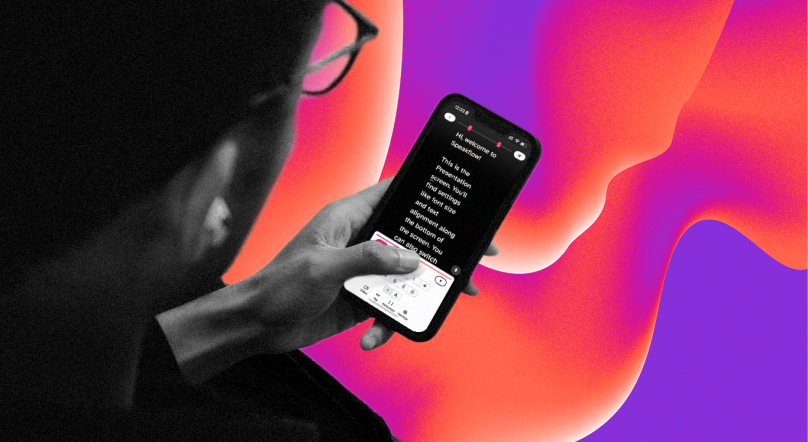
- Remote Control Function: You can use your smartphone as a remote to control the script's pace on your recording device.
2. Teleprompter Hardware for a Pro Setup: Glide Gear TMP100
To use teleprompter software, you need a physical rig to reflect the text. This hardware attaches to a tripod, holds your camera, and uses a beam-splitter glass to project your script.
The Glide Gear TMP100 is a practical and widely used option. It is compatible with a range of devices, from smartphones to small tablets, and supports various cameras, including DSLRs and mirrorless models. The 70/30 beam-splitter glass ensures the text is clear to you but invisible to the camera lens. This is a mechanical tool built for one purpose, and it does it well.
3. Free Video Recording Software: OBS Studio
You need software to capture the video and audio for your computer. OBS Studio is a powerful, open-source, and free application for video recording and live streaming.
Key Functions for Creators:
- Source Management: Combine multiple sources, like your camera, screen capture, images, and text, into a single recording.
- Scene Composition: Set up different layouts (scenes) and switch between them during a recording.
- High-Quality Recording: It gives you control over recording formats, resolution, and frame rates.
While it has an extensive settings menu, the basic recording functions are easy to set up. It is the standard for many content creators on Windows, Mac, and Linux.
4. A Creator-Focused Camera: Sony ZV-E10
A dedicated camera gives you more control over your image than a smartphone. The Sony ZV-E10 is a mirrorless camera designed specifically for vloggers and video creators.
Its main advantages are the fully articulating screen, which lets you see yourself while filming, and a reliable autofocus system. It also features a "Product Showcase" mode that quickly shifts focus from your face to an object held up to the camera. As an interchangeable lens camera, it offers creative flexibility.
Specification | Detail
Sensor | 24.2MP APS-C
Video Resolution | 4K up to 30fps, 1080p up to 120fps
Autofocus | Fast Hybrid AF with Real-time Eye AF
Lens Mount | Sony E-mount
Sensor | 24.2MP APS-C
Video Resolution | 4K up to 30fps, 1080p up to 120fps
Autofocus | Fast Hybrid AF with Real-time Eye AF
Lens Mount | Sony E-mount
Data sourced from Sony's official product specifications.
5. A USB Microphone for Clear Audio: Rode NT-USB+
Poor audio quality can cause viewers to leave. An external microphone provides much clearer sound than the microphone built into your camera or laptop. The Rode NT-USB+ is a studio-quality USB condenser microphone.
It connects directly to your computer and works without a complex setup. A key feature is the built-in headphone jack, which allows for zero-latency monitoring. This means you can hear exactly what the microphone is capturing in real-time, helping you identify and fix audio issues like background noise or clipping as you record.
Conclusion
Choosing the right tools can significantly enhance your video projects. With Speakflow leading the way in teleprompter software and the other options rounding out your toolkit, you're well-equipped to produce engaging content. For video creators, these tools are essential for improving quality and efficiency.
Start your next script in Speakflow, or download the Desktop App to keep it in view while you present.