If you're shopping for teleprompter hardware, you've probably noticed the market has exploded. There are dozens of options now, and they range from $40 phone-mount gadgets to $2,000+ broadcast rigs. The good news: you don't need to spend a fortune. The bad news: picking the wrong one means wasted money and a frustrating setup experience.
We've tested and researched the most popular teleprompter hardware options available in 2026. Here's what's actually worth your money - and what isn't.
How We Evaluated Teleprompter Hardware
Before diving in, here's what matters when choosing a teleprompter:
- Glass quality - A good beam splitter transmits enough light to your camera while reflecting your script clearly. Cheap glass creates ghosting (double images) that makes reading painful.
- Compatibility - Does it work with your camera? Your tablet or phone? Some teleprompters only support specific device sizes.
- Build quality - Flimsy plastic frames wobble on tripods. Aluminum frames don't.
- Ease of setup - If it takes 20 minutes to assemble every time, you'll stop using it.
- Reading distance - How far away can you read comfortably? This determines text size and your on-camera framing options.
Best Overall: Glide Gear TMP100
Price: ~$150-170 | Glass: 70/30 beam splitter | Max device: 10.5 x 9.5 inches
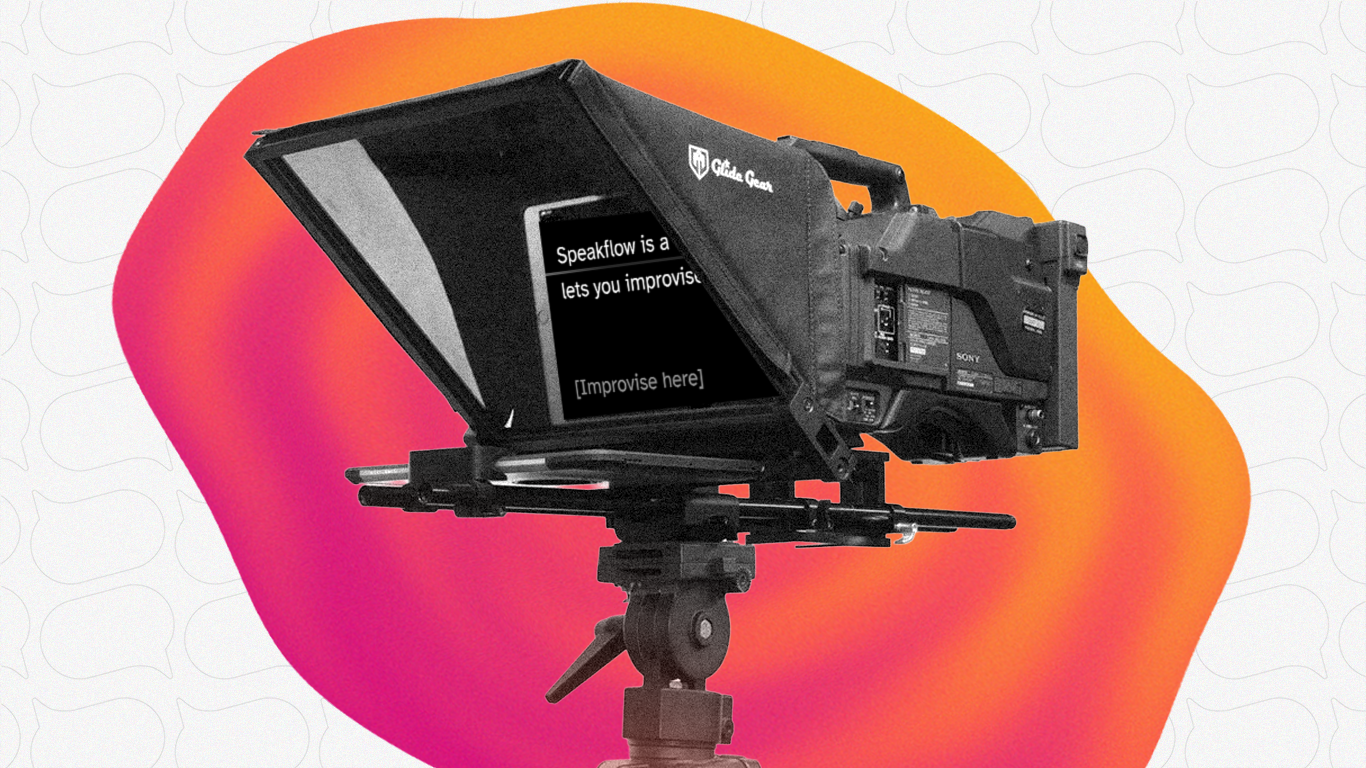
The Glide Gear TMP100 has been the go-to recommendation for years, and for good reason. It's built from aluminum alloy (no wobble), the beam splitter glass is genuinely good quality with minimal ghosting, and it accommodates everything from smartphones to full-size iPads.
Setup takes about 2-3 minutes once you've done it a couple times. The reading distance is solid at up to 10 feet, which gives you flexibility with your camera positioning. It also comes with a carry bag - not hardshell, but good enough for transport.
What we like:
- Aluminum construction that doesn't flex
- Works with DSLRs, mirrorless cameras, and even cinema cameras with longer lenses
- Large glass area makes reading comfortable
- Reasonable price for the quality
What we don't:
- No included teleprompter software - you'll need your own (more on that below)
- Won't fit an iPad Pro 12.9"
- The carry bag could be more protective
Best for: YouTube creators, course creators, and anyone who wants reliable hardware without overspending. If you're not sure what to get, start here.
Best Built-in Display: Elgato Prompter
Price: ~$280 | Screen: 9" built-in (1024x600) | Connection: USB-C
The Elgato Prompter takes a different approach. Instead of using your tablet or phone as the display, it has its own 9-inch screen built in. Plug it into your computer via USB-C, drag any window onto it (Google Docs, a chat window, your Speakflow script), and you're ready to go.
This is genuinely clever. No fumbling with a tablet. No worrying about screen mirroring apps. Just drag and drop. And because it acts as a second monitor, you can put anything on it - not just teleprompter apps.
The Stream Deck integration is a nice bonus if you're already in the Elgato ecosystem. Program buttons to start scrolling, pause, or jump back when you make a mistake.
What we like:
- No separate device needed - plug in and go
- Drag-and-drop any window onto the display
- Compact and lightweight (1.5 lbs)
- Works great for Zoom calls and live streaming too
What we don't:
- Pricey at ~$280
- 9" screen is smaller than tablet-based setups - can feel cramped for longer scripts
- Tied to Elgato's software ecosystem
- Requires DisplayLink driver on Mac, which can be finicky
Best for: Streamers, Zoom presenters, and creators who already use Elgato gear. If you want the most convenient setup and don't mind paying for it, this is hard to beat. Check out our Elgato Prompter setup guide for a full walkthrough.
Best Budget Option: Neewer X12B
Price: ~$80-90 | Glass: 12" HD, 75% light transmission | Design: Foldable
If you're just getting started or don't want to spend $150+ on hardware, the Neewer Basics X12B is the one to look at. At under $100, it delivers surprisingly good glass quality with 75% light transmission (actually better than the Glide Gear's 70/30 split).
The foldable design is a plus if you're tight on space or need to travel with it. Build quality is decent for the price - not quite Glide Gear levels, but it won't fall apart on you either.
What we like:
- Hard to beat the price
- Good glass quality for the money
- Foldable design saves space
- 12" display area is plenty readable
What we don't:
- Plastic construction feels less premium
- Not as stable on lightweight tripods
- No carry case included
Best for: Beginners, creators on a budget, and anyone who wants to try teleprompter hardware before committing to a bigger investment.
Best Professional: Neewer X14 III
Price: ~$200-230 | Glass: 14" HD beam splitter, 71% transmission | Extras: Manfrotto QR plate, RT113 remote
The Neewer X14 III is for creators who've outgrown the basics and want something that feels genuinely professional. The 14-inch beam splitter is noticeably larger than most competitors, making long scripts easier to read and giving you more flexibility with font sizes.
No assembly required - it unfolds and locks into position. The included Manfrotto-compatible quick release plate is a thoughtful touch that saves you an extra $30. And the RT113 remote lets you control scrolling without touching your computer.
What we like:
- Large 14" glass for easy reading
- Zero assembly - unfold and go
- Included remote control
- Manfrotto QR plate compatibility
What we don't:
- Heavier than smaller options
- Overkill for casual use
- Light transmission slightly lower than the X12B
Best for: Professional video producers, studios, and serious YouTube creators who record frequently and want the best reading experience.
Best Portable: Padcaster Parrot
Price: ~$100 | Design: Compact, phone-based | Weight: Ultra-lightweight
The Padcaster Parrot is the teleprompter you throw in your bag. It's tiny, it uses your phone as the display, and it mounts directly to most cameras. No tripod adapter needed, no complicated setup. Just attach it, open your teleprompter app, and go.
The trade-off is obvious: a phone screen is smaller than a tablet, so you're limited on how much text you can see at once. But for run-and-gun shooting, field work, or creators who travel constantly, the portability is worth it.
What we like:
- Incredibly portable and lightweight
- Mounts directly to camera - minimal setup
- Solid build quality for the size
- Works with any phone
What we don't:
- Phone screen limits readability at distance
- Not ideal for long scripts or fast scrolling
- Glass is smaller, so reading angle is tighter
Best for: Mobile creators, journalists, and anyone who needs a teleprompter they can set up in 30 seconds.
Best for Large Studios: ikan PT-Elite Pro
Price: ~$600+ | Glass: Large format beam splitter | Build: Professional broadcast quality
The ikan PT-Elite Pro is a different category entirely. This is broadcast-grade hardware designed for studios, corporate video departments, and production houses. The build quality, glass clarity, and stability are all a step above consumer options.
You probably don't need this. But if you're outfitting a dedicated studio where multiple people will use the same teleprompter daily, the durability and precision justify the price. ikan has been making professional video gear since 2005 and their teleprompters reflect that experience.
What we like:
- Broadcast-quality glass with minimal distortion
- Rock-solid construction
- Designed for heavy daily use
- Professional mounting system
What we don't:
- Expensive
- Heavy and not portable
- Overkill for solo creators
Best for: Studios, production companies, and corporate video teams with dedicated recording spaces.
Honorable Mentions
Desview T3 / P17
Desview makes solid mid-range teleprompters. The P17 has a massive 17-inch beam splitter with a foldable sunshade and Bluetooth remote. Good option if you want a large reading area without going full broadcast-grade. Priced around $150-250 depending on the model.
SmallRig 3646
SmallRig's modular design appeals to creators who already use their cage ecosystem. Wide-angle lens compatible (49-95mm), supports tablets up to 11 inches. A smart choice if you're already invested in SmallRig gear.
Moman MT12
Budget-friendly with Bluetooth remote and app control. Metal frame construction at a plastic-frame price point. Worth considering if you're between the Neewer X12B and Glide Gear TMP100.
Hardware vs Software: Do You Even Need Physical Hardware?
Here's the thing most teleprompter hardware reviews won't tell you: a lot of creators don't need dedicated hardware at all.
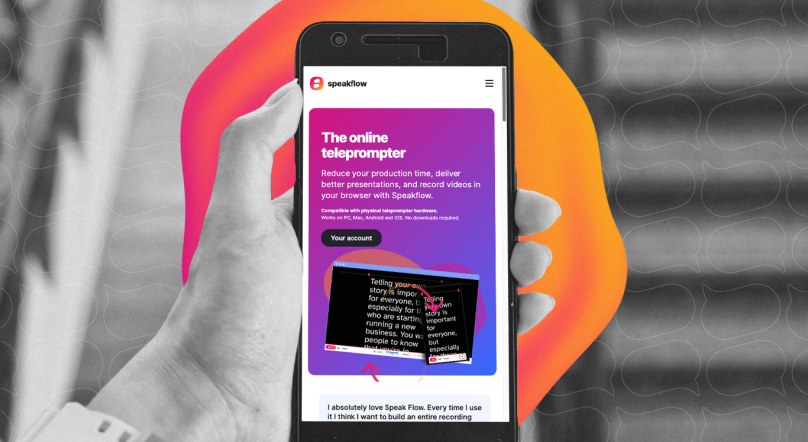
If you're recording with a webcam, presenting on Zoom, or filming with your laptop nearby, a software teleprompter does the job. Tools like Speakflow run right in your browser and overlay your script on screen. No glass, no mounting, no setup time.
You can even use Speakflow on a tablet propped up next to your camera - pair it with voice-activated scrolling and it's surprisingly close to a hardware setup at zero hardware cost.
When hardware makes sense:
- You need perfect eye contact with the camera lens (beam splitter glass is the only way)
- You're filming with a dedicated camera (not a webcam)
- You're in a studio setting where the prompter stays set up
- You're recording high-volume content where setup efficiency matters
When software is enough:
- Webcam recordings and video calls
- Presentations where "close enough" eye contact works
- You're just starting out and want to try prompting before investing
- You need portability without carrying extra gear
Our Recommendation
For most creators, the Glide Gear TMP100 hits the sweet spot. It's well-built, reasonably priced, and compatible with basically everything. Pair it with a browser-based teleprompter like Speakflow on your tablet and you've got a professional setup for under $200 total.
If budget is tight, grab the Neewer X12B and see if hardware prompting is for you before upgrading. If you want the most convenient setup possible and you're already in the Elgato ecosystem, the Elgato Prompter is worth the premium.
Open Speakflow in your browser on your computer or phone to create your script and use the teleprompter while you record.
Open Speakflow in your browser on your computer or phone to create your script and use the teleprompter while you record.
You can also pair your setup with Speakflow’s Desktop App, which keeps your script on your computer and lets you position it over the apps you’re presenting or recording in.