This release adds a few new pages and features, expands what free users can do, and opens Speakflow up to outside tools. Here's what changed.
New Features
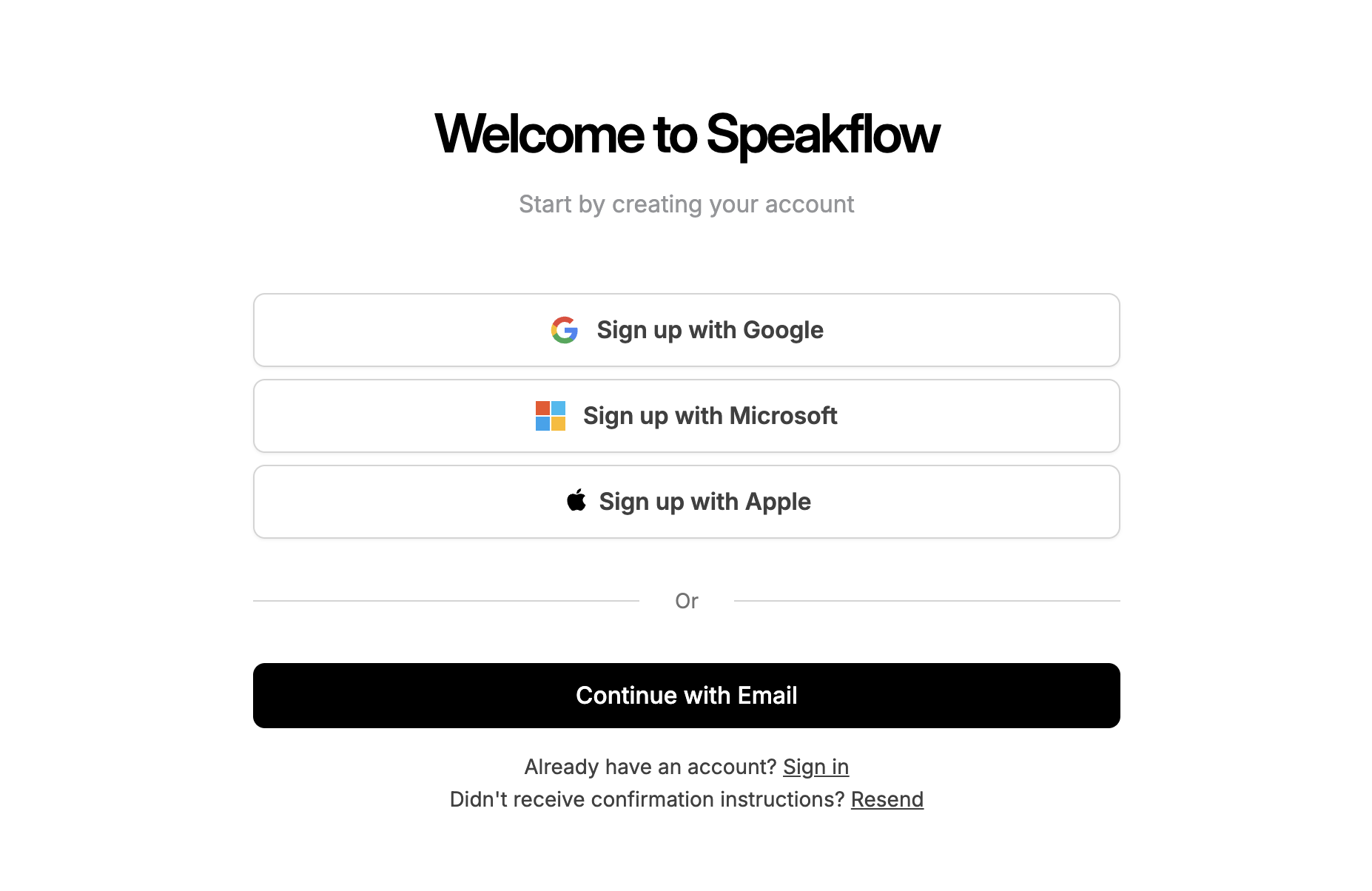
Sign in with Apple — You can now sign up or log in using your Apple ID, alongside the existing Google and email options.
Free accounts can invite guests — Inviting someone to your team no longer requires a paid plan. Free users can now invite guests to view or edit individual scripts. Full team workspaces still require Studio.
Redesigned Add-ons — The Add-ons section of billing has been rebuilt. Pricing, what's included, and what you've already added are easier to read at a glance.
Demo settings drawer — A new side panel for adjusting demo settings, so you can change the demo experience without leaving the page.
Workflow Improvements
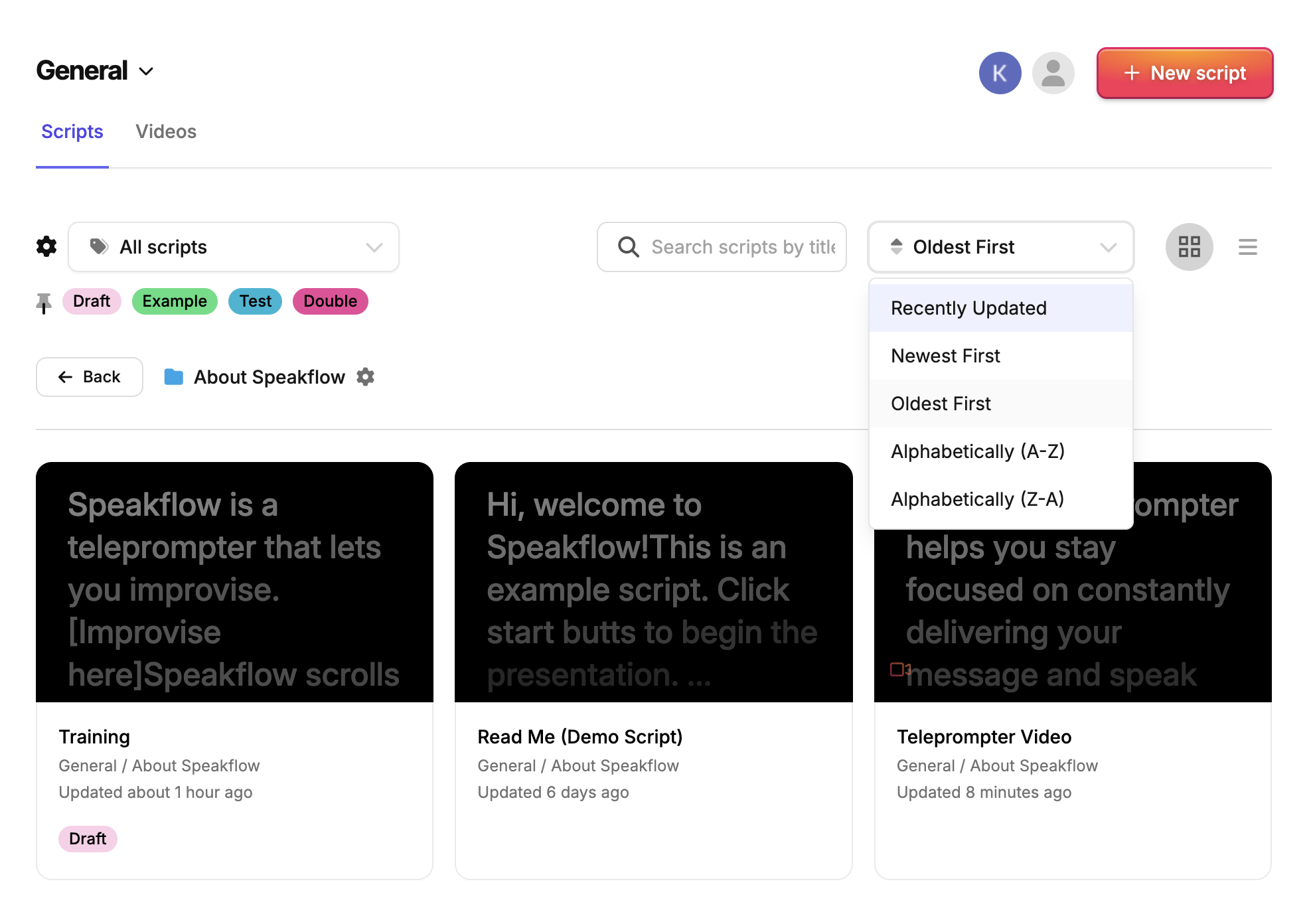
Filters in the folders section — You can now filter the folder list, which helps if you have a lot of folders to sort through.
Confirmation when removing a script — Deleting a script now asks you to confirm first, so it's harder to lose work by accident.
Updated teleprompter icons — The teleprompter now uses a new set of icons for a cleaner, more consistent look.
For Developers
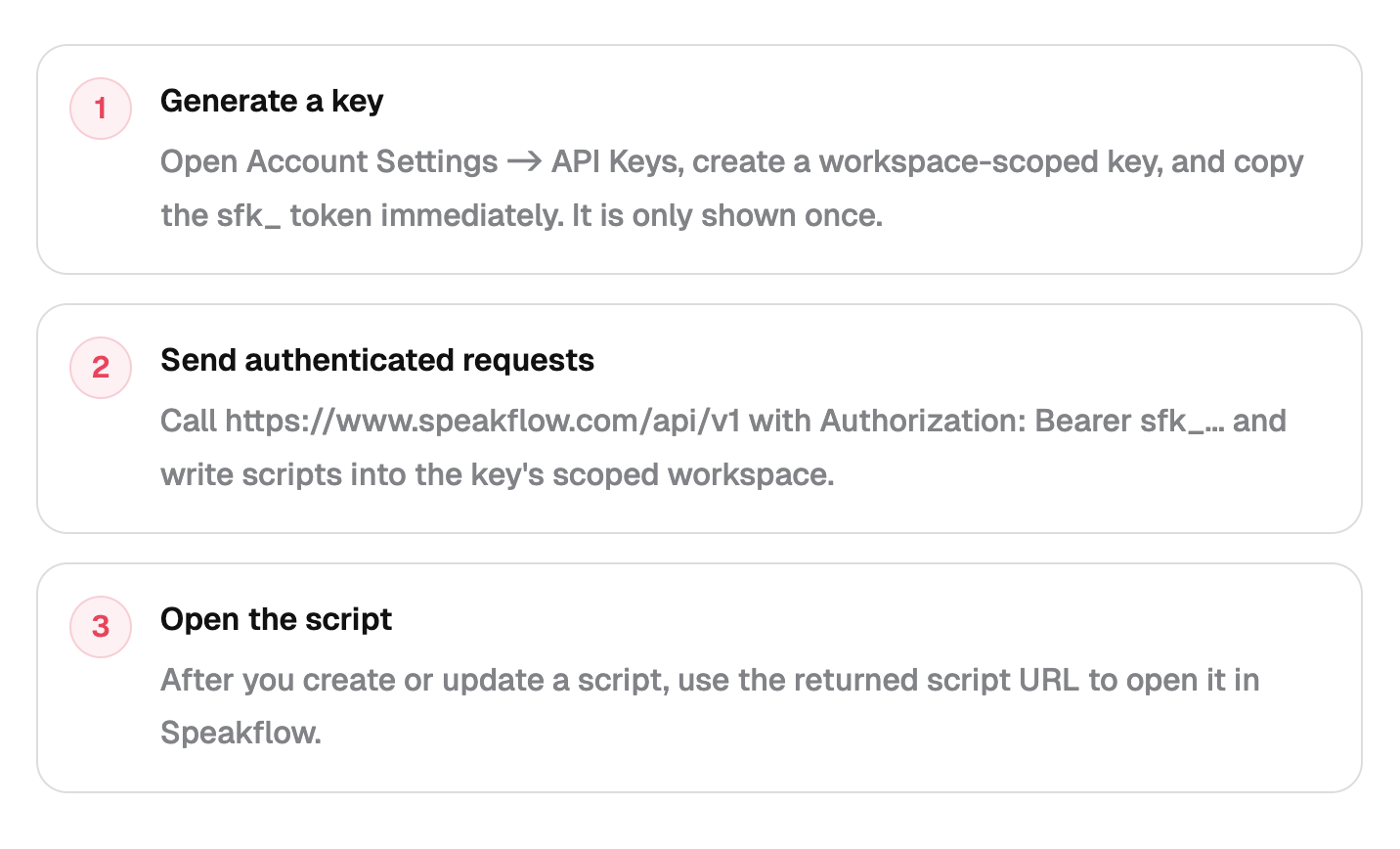
Speakflow can now connect to other tools and apps. If you're a developer, you can plug your own software into your Speakflow account to read scripts, organize folders, and more.
- Connect-keys tied to a single workspace — You can create a key that only gives access to one workspace, so an outside tool can't see scripts from anywhere else in your account.
- A place to manage your keys — You can now create and remove keys from inside the app. Scripts also show where they were created: the web app or a connected tool.
- Documentation page — A new page that explains what developers can do with Speakflow and how to get started.
- Workspaces and folders can now be managed from outside tools — Developers can read and organize workspaces and folders without opening the app.
- Sort, filter, and page through scripts from outside tools — The same controls you use in the web app are now available to connected tools.
Bug Fixes
- Editors used to only be able to work on scripts that were shared with them. They can now create their own scripts inside a workspace.
- Fixed an issue where voice-tracked scrolling would keep trying to reconnect forever if its connection dropped.
Polish
- When you create a new folder, it's opened automatically so you can start using it right away.
- Cleaned up the color picker used for annotations.
That's the April 2026 roundup! We read all your feedback, so feel free to reach out!
Start your next video in Speakflow, or download the Desktop App.
Start your next video in Speakflow, or download the Desktop App.