
We've been busy making improvements to Speakflow, and we're excited to share the latest updates. From better video recording to more reliable remote control across devices, we've introduced several improvements designed to make creating and presenting smoother than ever.
If you haven’t checked out Corey’s video above, Speakflow is now available on your mobile devices and optimized for the new iPhone Duo! Whether you're working from your desk or creating content on the go, you can take your teleprompter with you.
Speakflow on the Go
Whether you're using your phone, iPad, or tablet, Speakflow makes it easy to access your teleprompter wherever you are. We've introduced several mobile improvements to make editing, recording, and presenting more seamless, so you can focus on delivering your message.
What's New on iOS
Optimized for iPhone Duo
We've released a new version of Speakflow with an improved layout for iPhone Duo users. Enjoy easier navigation, smoother script management, and a more comfortable teleprompter experience when recording videos or presenting.
Additional iOS Improvements
We've also made updates to improve the overall experience:
- Easier editing: Improved text selection, pasting, autosave, and keyboard behavior for a smoother editing experience.
- Better recording: Enhanced video framing, audio recovery, and video dismissal for more reliable recording.
- Stronger connections: Improved remote control reliability, sign-in recovery, and speech recognition fallback to help minimize interruptions.
- Gesture Control: Simply press and hold your script to adjust its position and reading line for a more comfortable, seamless presenting experience.
What's New on Android
We've also rolled out improvements to make Speakflow more reliable on Android devices.
- Remote control improvements: Better reconnection and sign-in recovery to help maintain a consistent connection during presentations.
- Flow fallback: Cloud speech recognition is now available as a fallback when native speech recognition isn't supported.
These updates help create a more consistent experience, whether you're recording content, practicing a presentation, or reading from your teleprompter on the go.
Desktop, But Better
More folks are using Speakflow for Desktop, and we've been reading your feedback. Based on what you've shared, we've made improvements to window responsiveness and camera and microphone detection, helping reduce setup time and make the recording process more reliable.
Our goal is simple: less time troubleshooting and more time creating.
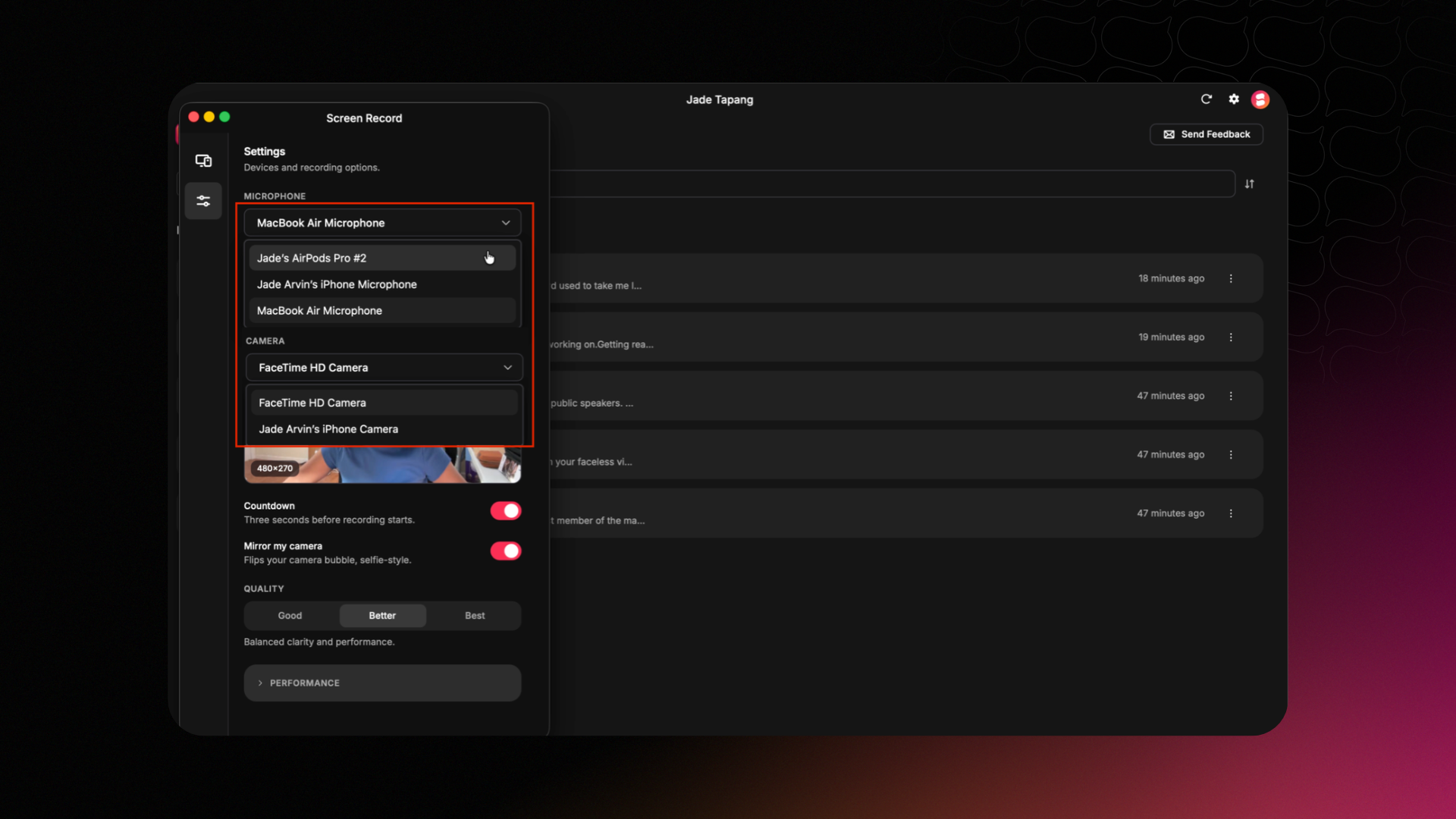
- Improved remote control: More reliable presentation control syncing between Speakflow Web and iOS.
- Better recording performance: Smoother recording on Windows, along with improvements to Flow, camera detection, and microphone performance.
These changes are designed to make your desktop workflow more consistent, whether you're preparing for a presentation or recording your next video.
Meanwhile, on the Web...
While much of our recent focus has been on improving the Speakflow mobile and desktop apps, we're continuing to maintain and refine the web experience. If you missed our previous updates, take a look at our August 2026 changelog to catch up on the latest improvements to Speakflow Web.
More Improvements Are on the Way
From improvements to mobile editing and recording to a more reliable desktop experience, we're continuing to build tools that make it easier for you to create content and deliver presentations with confidence.
Ready to take Speakflow on the go?


