August brought some exciting updates to both Speakflow for Desktop and the browser.
You can now do more of your script and recording workflow directly from your Mac, from writing and editing scripts to recording without heading back to the browser.
On the web, we’ve added new tools for sharing, transcripts, and video review, making it easier to hand off a script, find the right moment in a recording, and review your work.
Here’s what changed.
New Features
Desktop App (Paid Plan Access)
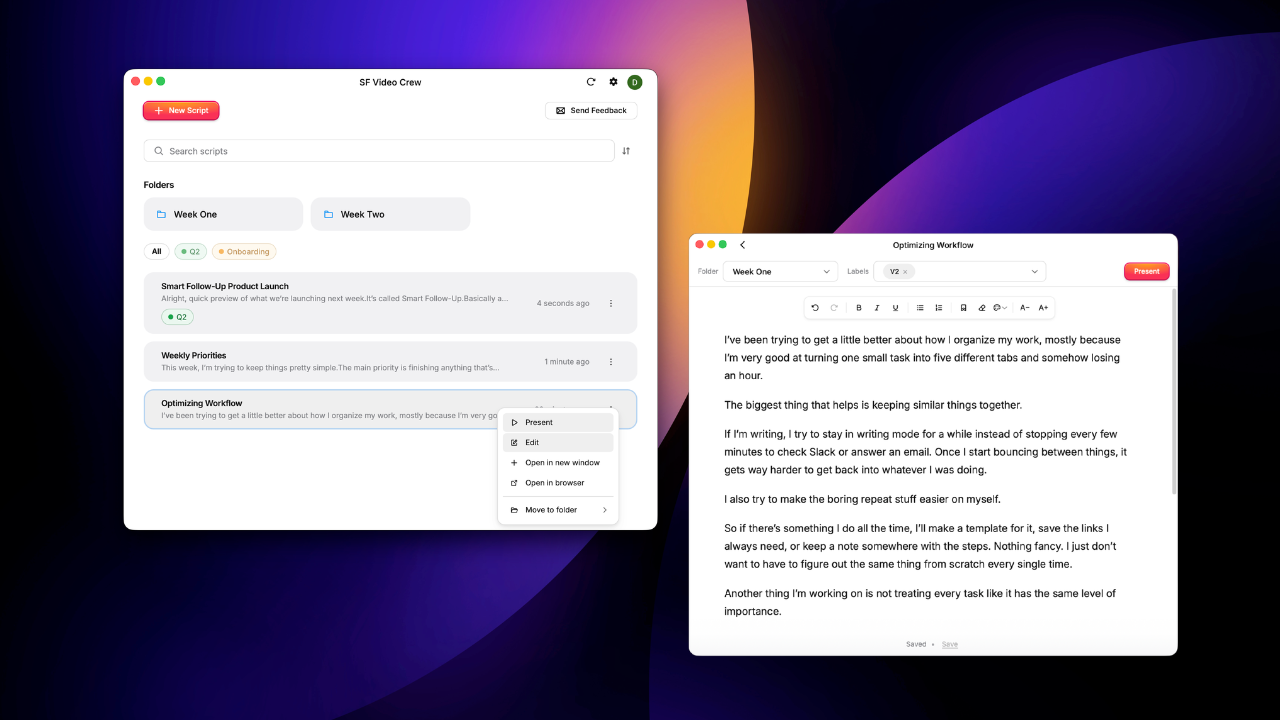
Write and edit scripts without opening your browser
You can now create scripts, make changes, and save your work directly from the Desktop App.
Whether you’re fixing one line or starting something new, you can move from writing to presenting without switching back to your browser.
Blog - August1.png380.73 KB
Record directly from your Mac
Recording is now built into the Desktop App.
Open a script and record with your teleprompter, or start a standalone recording when you don’t need a script.
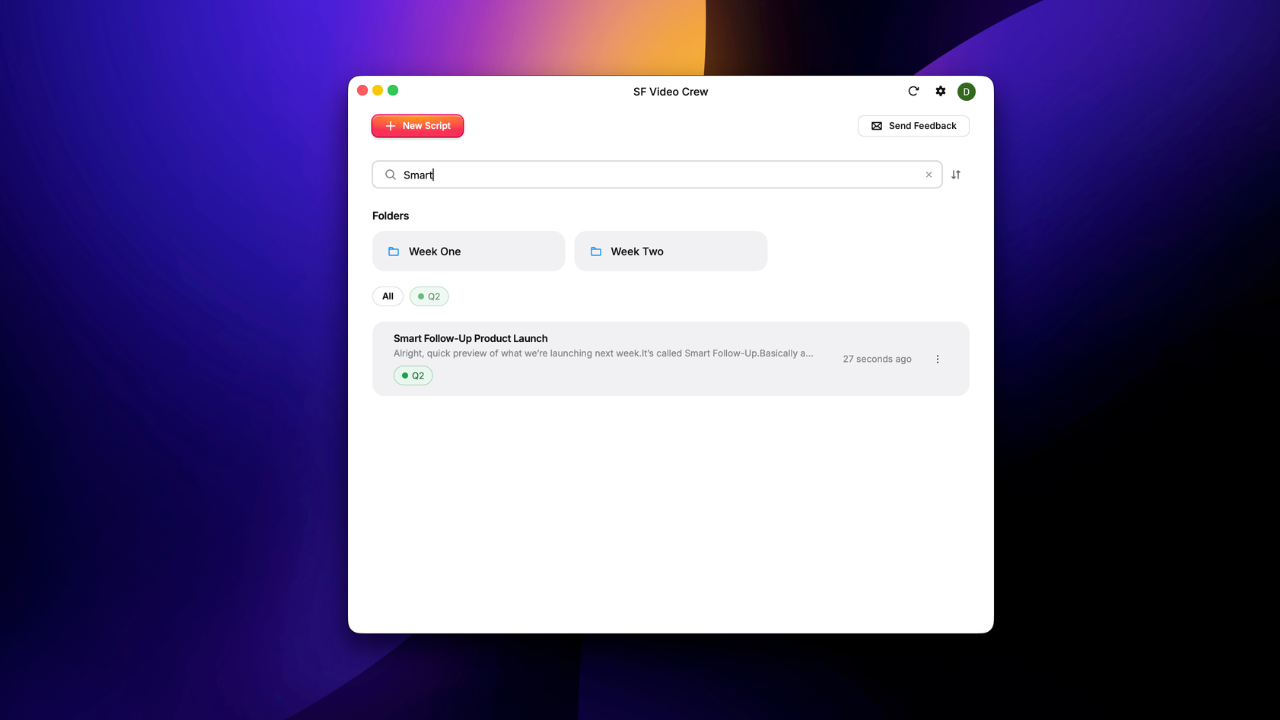
Find and organize your scripts
More of your workspace is now available inside the Desktop App:
Search, sort, and filter your scripts.
Move scripts between folders.
Drag and drop scripts where you want them.
Switch workspaces without leaving the app.
That means less time navigating between the Desktop App and your browser before you can start working. Blog - August2.png281.33 KB
Steadier audio during calls
We improved how the Desktop App handles your microphone during Zoom and Google Meet calls. Previously, opening a script could sometimes cause a brief dip in your call audio. The update reduces that interruption, making it easier to pull up a script after a call has already started.
Web
Share a teleprompter with a link
You can now create a link to a teleprompter and send it directly to someone else.
The recipient can open the link and present the script without navigating through your workspace to find it.
Search video transcripts
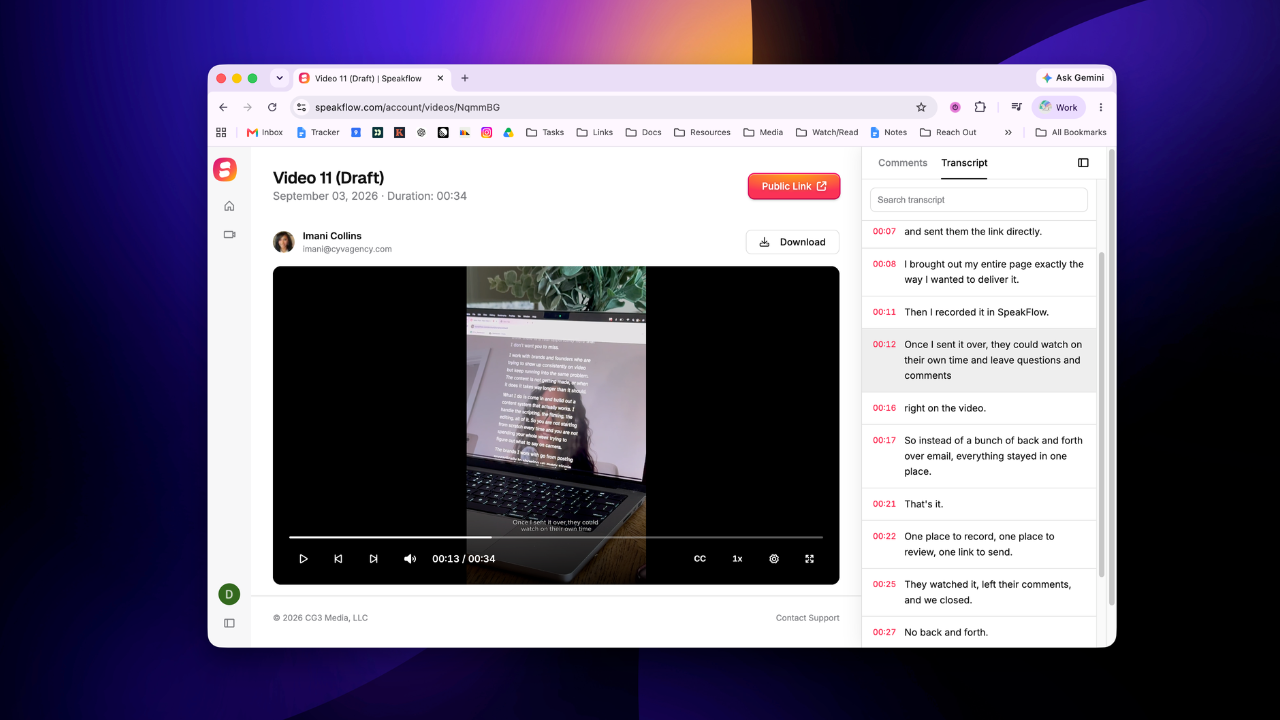
Speakflow can now generate transcripts for recorded videos and display them alongside the video.
You can view the full transcript or search for a word or cue to find the moment you need. This is especially useful when reviewing a longer recording and you already know what you’re looking for.
3.png384.23 KB
Review videos more easily
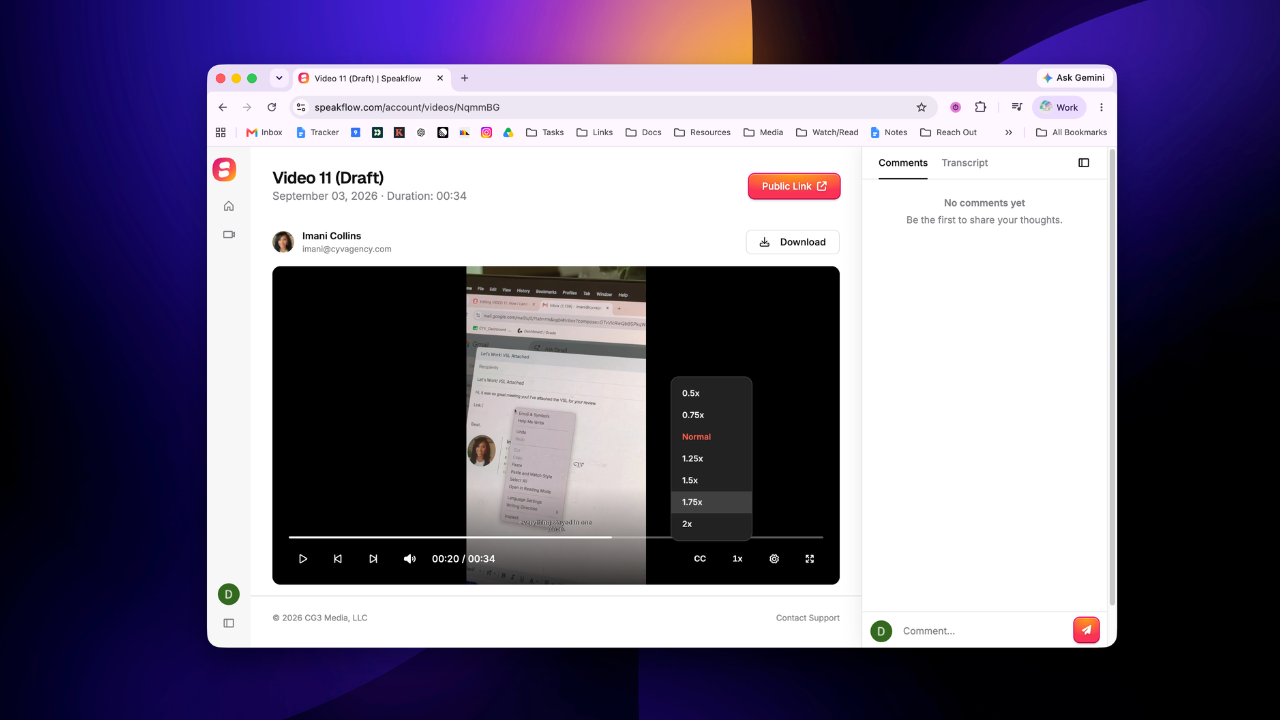
We updated the editing and playback controls for recorded videos.
It’s now easier to scrub through a recording, split or trim the timeline, and change the playback speed while reviewing a take.
4.png323.93 KB
Find common actions faster
We also refreshed the script editor and navigation so frequently used actions are easier to find.
More of your workflow in Speakflow
These updates make the Desktop App a more complete place to write, organize, present, and record. And on the web, these updates will make it easier to share scripts and review what you’ve recorded.