Full Script or Talking Points? What to Put in Your Teleprompter
How Much Should You Script?
You can use a teleprompter without writing a full script. Maybe every word needs to be exact. Maybe three talking points are plenty. Usually, you need a little of both.
Here’s how to figure out what belongs on the screen before a 45-second video becomes a video essay, or never gets written at all.
Use a full script when the wording matters
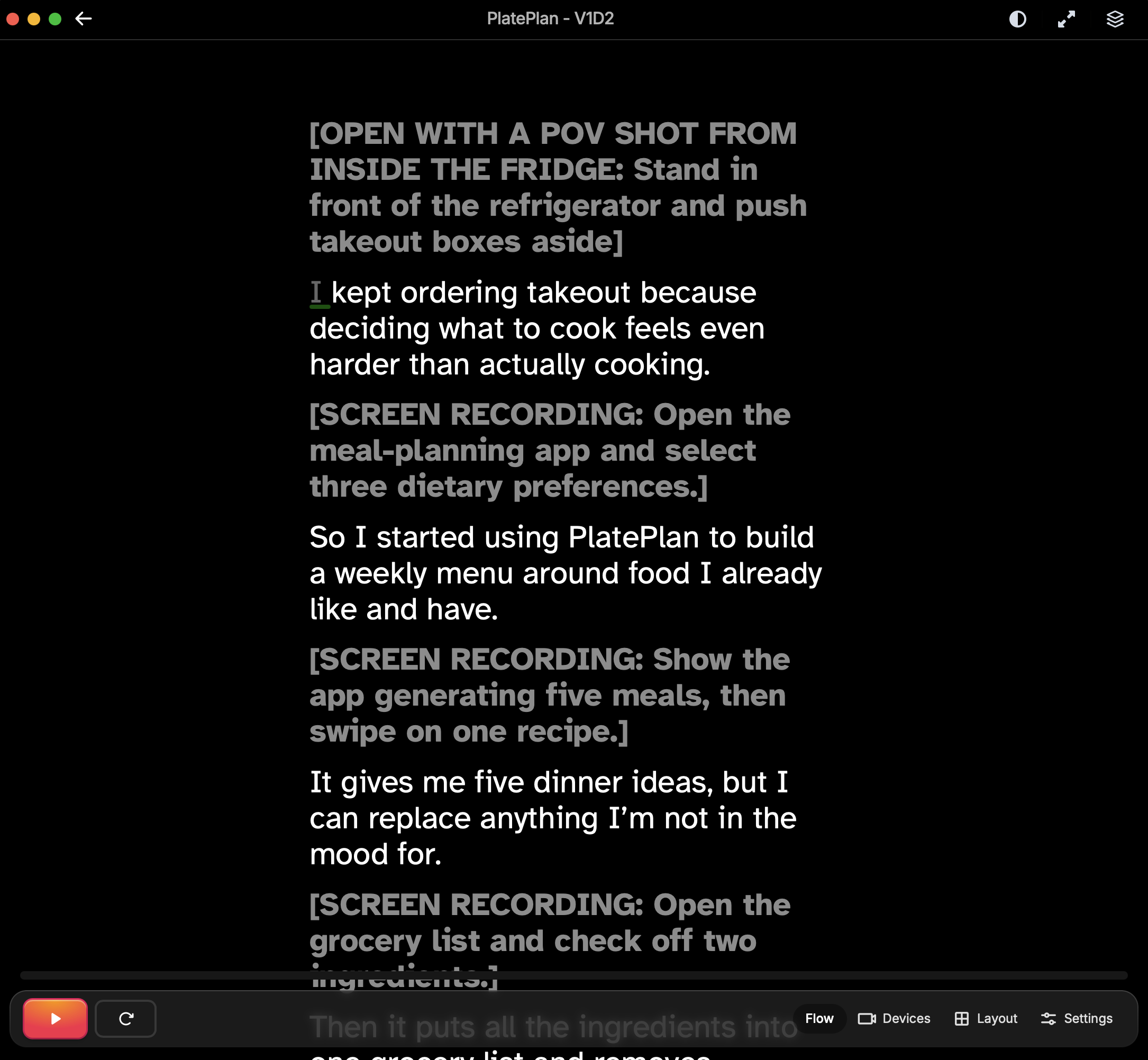
A full script is useful when you need to say something precisely.
That might be a product announcement with approved language, a tutorial with steps that need to stay in order, or a video that includes names, dates, prices, or technical details you can’t really improvise.Screenshot 2026-08-04 at 8.47.21 PM.png403.78 KBIt also helps when you’re writing for someone else. The person presenting may understand the topic, but they won’t necessarily know which sentence is pivotal to include.
Just make sure the script sounds like something a person would actually say.
Read it out loud before recording. Shorten the sentences that make you run out of breath. Replace words you’d never use in conversation. A line can look great in a document and feel really weird once you have to say it to a camera.
Use talking points when you know the subject
You probably don’t need a full script to explain something you already understand well.
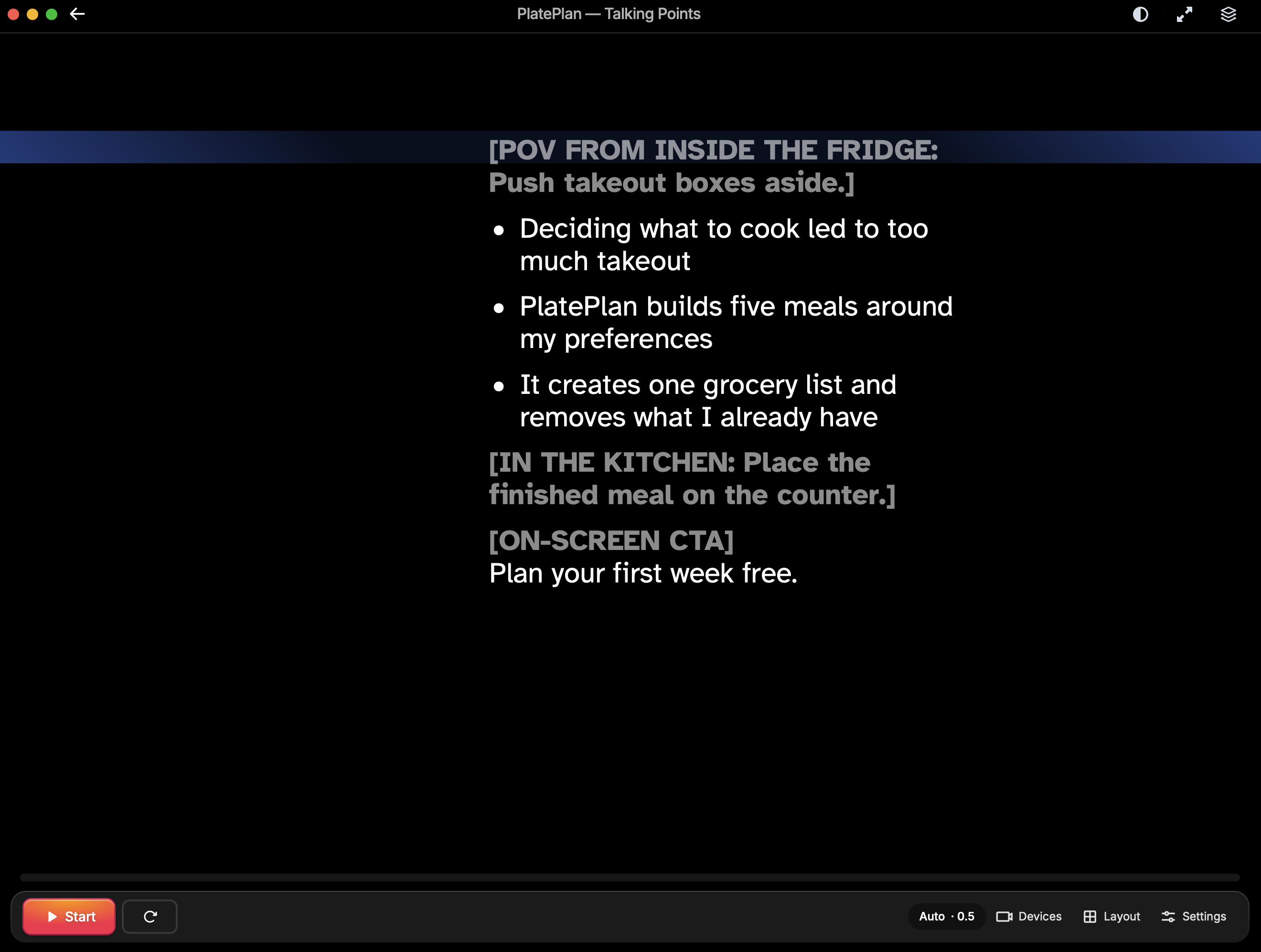
If you’re a founder recording a company update, you may only need reminders about what to cover. If you’re an educator, you can usually explain a familiar lesson without reading every sentence. And even a quick LinkedIn video might only need an opening, three points, and a closing line.Screenshot 2026-08-04 at 9.10.21 PM.png348.85 KBThe trick is making your talking points specific enough to be useful.
“Mention analytics” won’t help much when you look up and forget what you actually meant when you first wrote it.
“Explain the main point, give one example, and say what you want people to take away” gives you enough to pick the thought right back up.
You still have room to speak in your own words, but you’re less likely to wander into a completely different video halfway through.
Script the parts you keep messing up
You don’t have to commit to one format for the whole video.
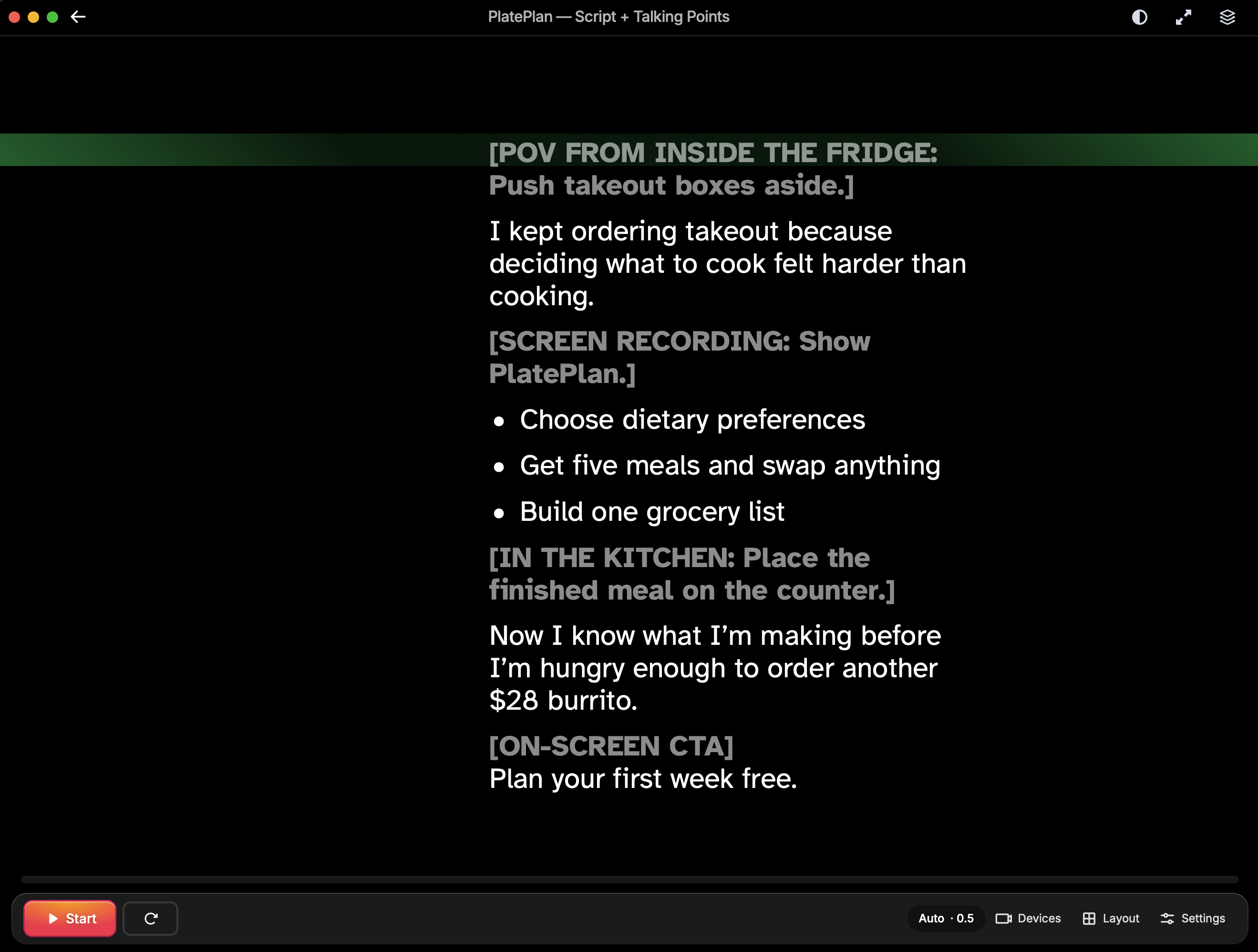
Write the opening word for word so you don’t spend five takes rambling before you get to the point. Script any facts or phrases you need to get right. Leave the parts you know well as just talking points.
Then write the ending.Screenshot 2026-08-04 at 9.09.51 PM.png434.54 KBOtherwise, there’s a good chance the video will finish with some version of, “So…yeah. That’s basically it.”
A simple hybrid script might look like this for a video called “Do You Need a Full Script to Use a Teleprompter?” which is also a peek at how we write Speakflow videos:
Opening: You probably don’t need to write every word of your next video. Talking point: Explain when exact wording matters. Talking point: Give an example of a video that only needs a few prompts. Important detail: Flow Mode uses voice recognition to follow the speaker. Closing: Start with three talking points and add full sentences only where you need them.
That’s still a script. It just isn’t pretending every sentence requires the same amount of attention.
Choose a teleprompter mode that fits the format
A complete script can work well with Auto mode, which moves the text at a steady speed. That’s useful when your pacing stays fairly consistent and you want to keep moving through the copy.
Talking points tend to be less predictable. You may spend longer on one idea, skip a sentence, or stop to add something you didn’t write down.
Speakflow’s Flow Mode uses voice recognition to follow you as you speak. You can pause, repeat yourself, or briefly go off-script without the rest of your notes continuing up the screen.
That makes it a good fit when the teleprompter is there to keep you on track rather than feed you every word.
Start with less
Write a full script when every word matters.
Use talking points when you already know what you want to say.
For everything else, write the opening, the details you can’t forget, and the final line. Leave yourself some room in the middle.
You can always add a sentence after a practice take. Starting with less makes it easier to tell what the video actually needs.