Record Faster, Edit Smarter: How Speakflow and Recut Work Together
Speakflow scrolls your script while you read. Recut strips out the silence afterward. Together they turn an all-day shoot into an hour.
You probably already know Speakflow helps you record better videos - practice your script, nail your delivery, and capture it all in one take. But what happens when you're done recording?
That's where Recut comes in.
What is Recut?
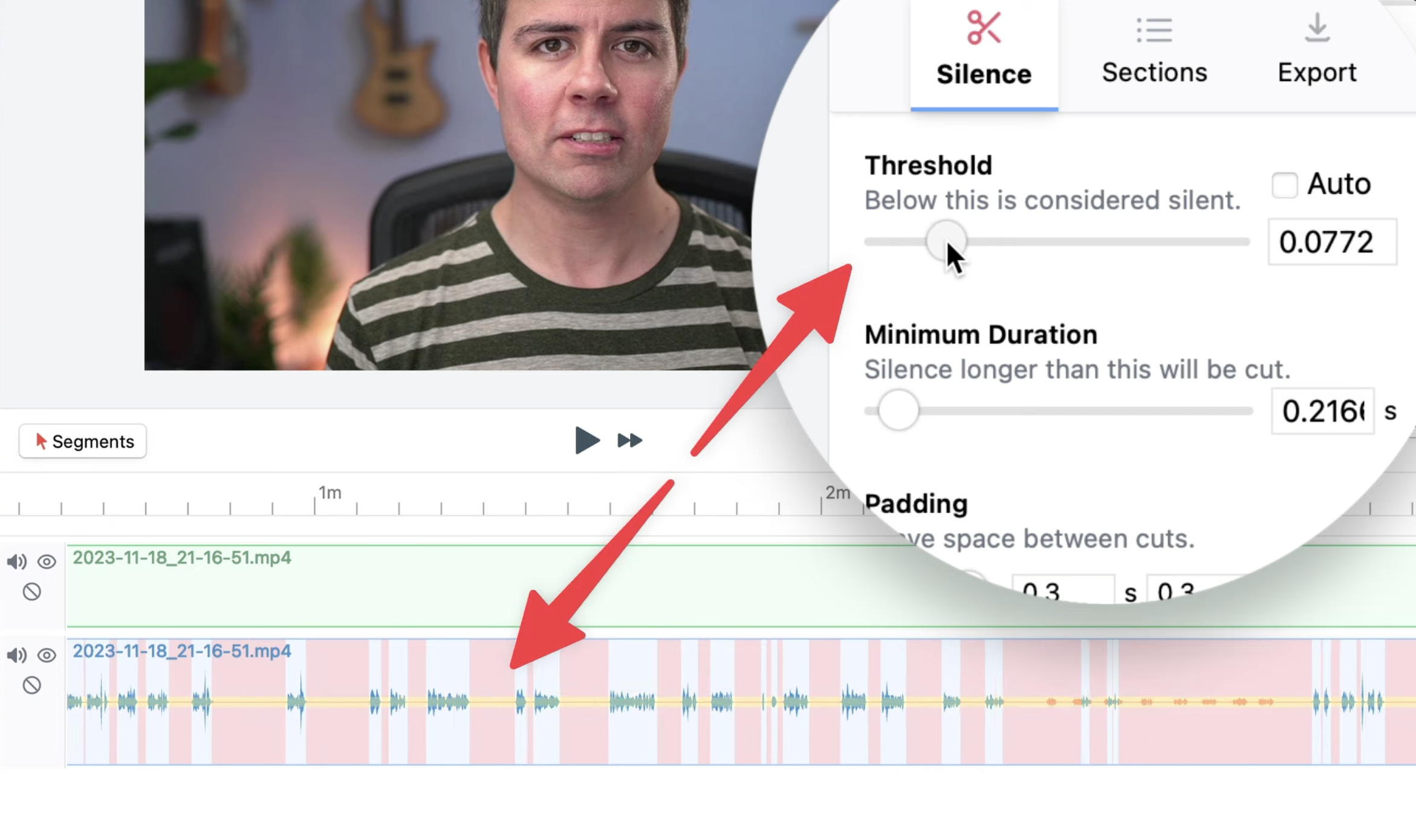
Recut is automatic video editing software that does one thing incredibly well: it removes silence from your videos. All those pauses while you collect your thoughts, the dead air between takes, the moments where you're waiting for the teleprompter to catch up - gone. In seconds.
Created by Dave Ceddia, a software developer based in Boston, Recut launched in 2021 and has become a favorite among YouTubers, course creators, and anyone who records talking-head videos. Ali Abdaal, Brandon Shepherd (650k+ subscribers), and thousands of other creators swear by it.
Here's what makes it different from the silence removal tools baked into Premiere or DaVinci Resolve: it actually sounds natural. Other tools often make your audio sound robotic. Recut's customizable sensitivity lets you dial in exactly how tight you want your cuts, so the result sounds like you - just more polished.
Screenshot 2026-02-10 at 11.42.52 AM.png1.81 MB
The Speakflow + Recut Workflow
The combination is almost too good. Here's how it works:
1. Write and practice your script in Speakflow. Use the teleprompter to get your pacing down. Record a few takes until you nail it.
2. Export your video. Download the recording directly from Speakflow.
3. Drop it into Recut. The app analyzes your audio, finds every silent moment, and creates a cut list automatically. This takes seconds, not hours.
4. Export to your editor. Recut sends an XML file to Final Cut Pro, Premiere, DaVinci Resolve, ScreenFlow, or CapCut. Your clips are already chopped up - you just do the creative stuff.
What used to take 2-4 hours of tedious timeline scrubbing now takes.. maybe 10 minutes? And most of that is the creative editing you actually want to do.
Why This Pairing Makes Sense
Both tools share the same philosophy: remove the friction from video creation so you can focus on what matters.
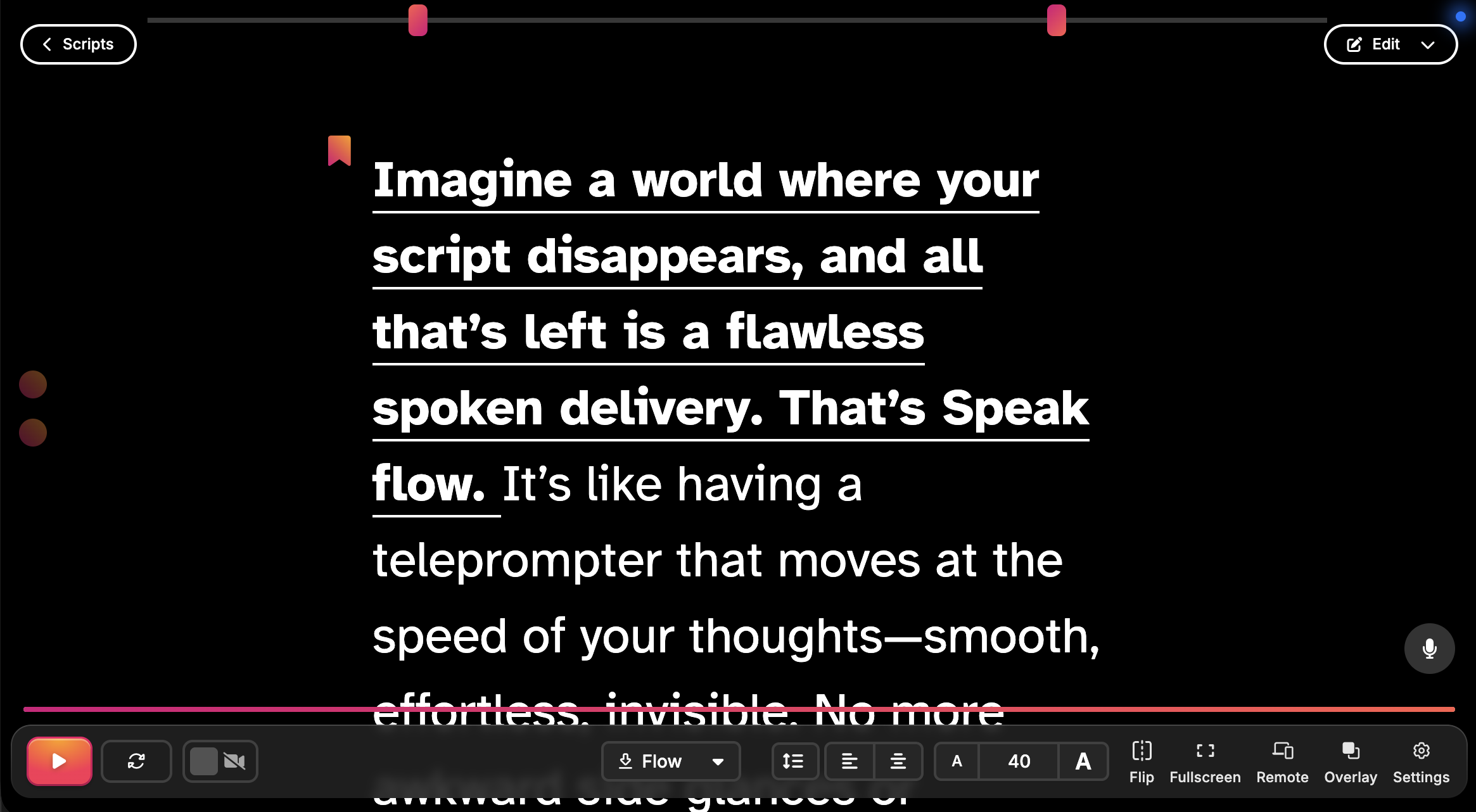
Speakflow handles the recording side. No more memorizing scripts, no more awkward pauses while you remember your next line, no more starting over because you lost your place. Just clear, confident delivery.
speakflow-presentation-example.png292.04 KB
Recut handles the editing side. No more manually hunting for dead air, no more hundreds of tiny cuts, no more wasted hours on the boring parts of post-production.
Together, they compress what used to be an all-day project into something you can knock out in an hour.
What Creators Are Saying
"This tool REVOLUTIONIZES how I'm able to not only edit videos, but conceive and record them since it frees me up to not worry about dead time or bad takes. It paid for itself after one use."
"I had almost 2 hours of a screencast to edit. Recut saved me 3-4 hours of editing."
"It previously took me about one hour to cut down the raw footage into something usable.. Recut does this with a click of a button."
These aren't isolated cases. This is just what happens when you automate the tedious parts.
Getting Started
Speakflow is free to start, so you can try the teleprompter and recording tools before deciding whether you need a paid plan. You can use it right in your browser on a computer, tablet, or phone.
Recut gives you three free exports to try it out without a credit card. After that, it’s $129 one-time or $15/month.
If video is something you make regularly, whether that’s for YouTube, courses, client projects, or work, the two tools handle different parts of the process: Speakflow helps you get through the recording, and Recut can take some of the repetitive work out of the edit.
Speakflow is a teleprompter and video recording platform for creators and professionals. Learn more about Speakflow. Recut is available at getrecut.com.