See what’s new in Speakflow for midsummer 2026, including redesigned teleprompter settings, live script editing, video review, external uploads, and board view.
Midsummer 2026 Updates
The latest Speakflow updates make it easier to optimize your workflow, whether you’re creating lessons, company updates, product demos, or content for your audience.
Here’s what’s new this midsummer.
New Features
All Plans
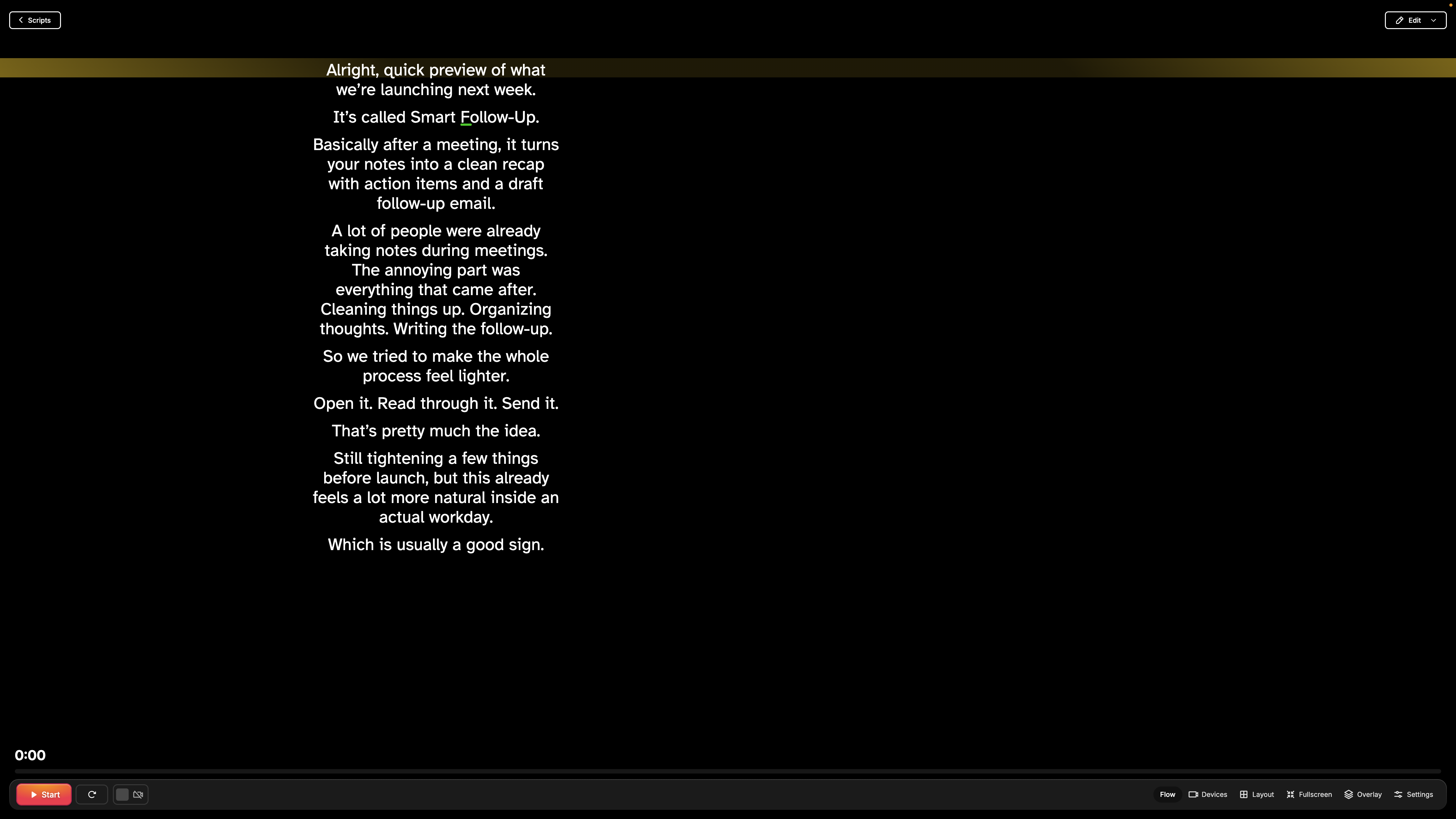
A more customizable teleprompterScreenshot 2026-07-16 at 10.14.46 AM.png632.66 KB
Move your script horizontally to keep your eyes closer to the camera.
Customize the position and color of your read line.
Your read line now stays where you put it, even after refreshing.
Speakflow remembers your device selections the next time you record.
Plus and Studio Plans
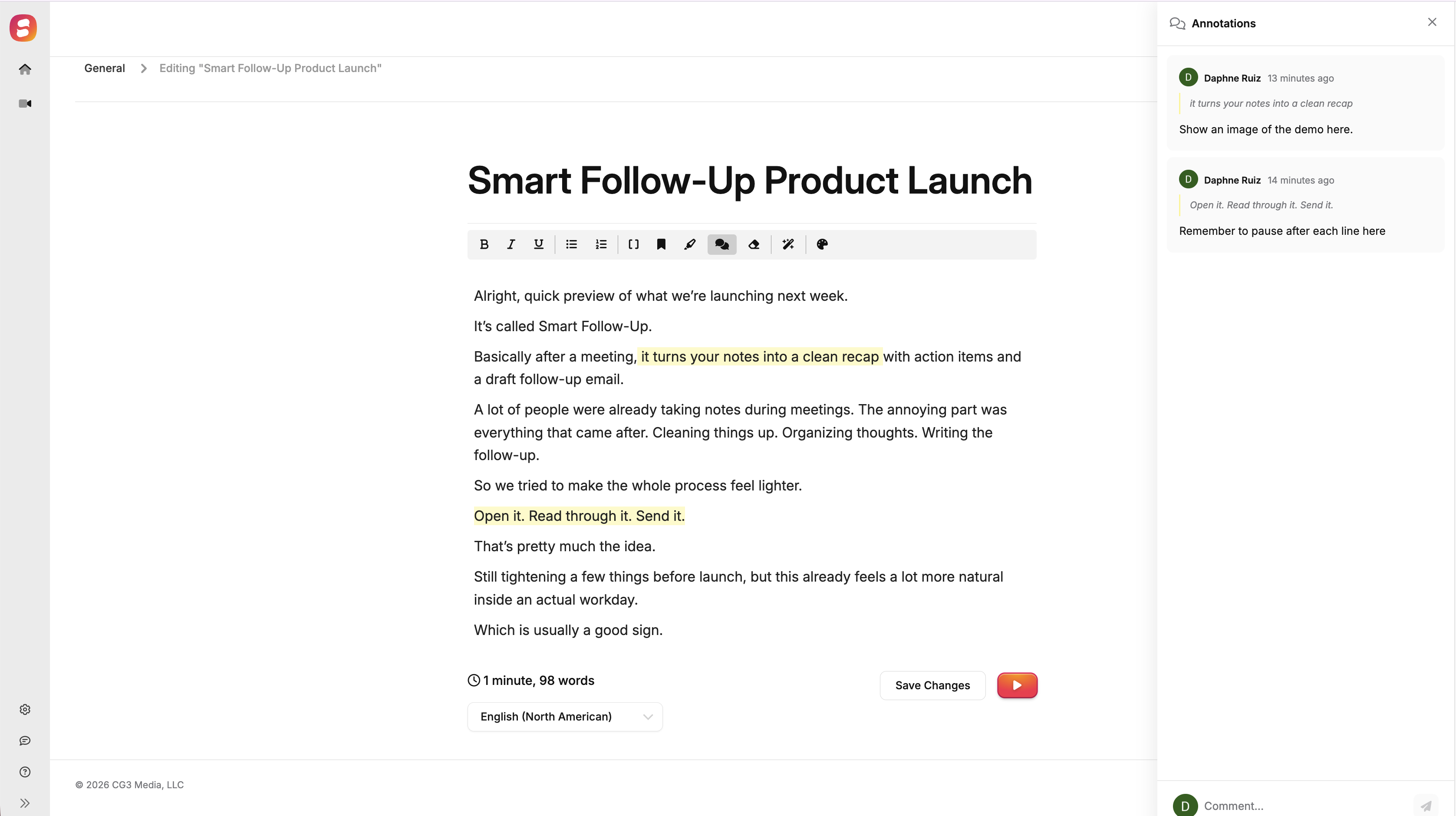
Edit scripts together in real time
Screenshot 2026-07-16 at 10.30.37 AM.png479.93 KB
Work on the same script with teammates at the same time.
See edits as they happen.
Leave annotations and comments directly on the script.
This is especially helpful when reviewing lessons, presentations, sponsored content, internal announcements, and other videos before recording!
Leave feedback at the exact moment it applies
Leave comments at a specific point in a video.
@mention teammates when you need their input.
Keep feedback connected to the exact sentence, slide, or shot it refers to.
Create a public link to share videos with clients, collaborators, students, or other reviewers outside your workspace.
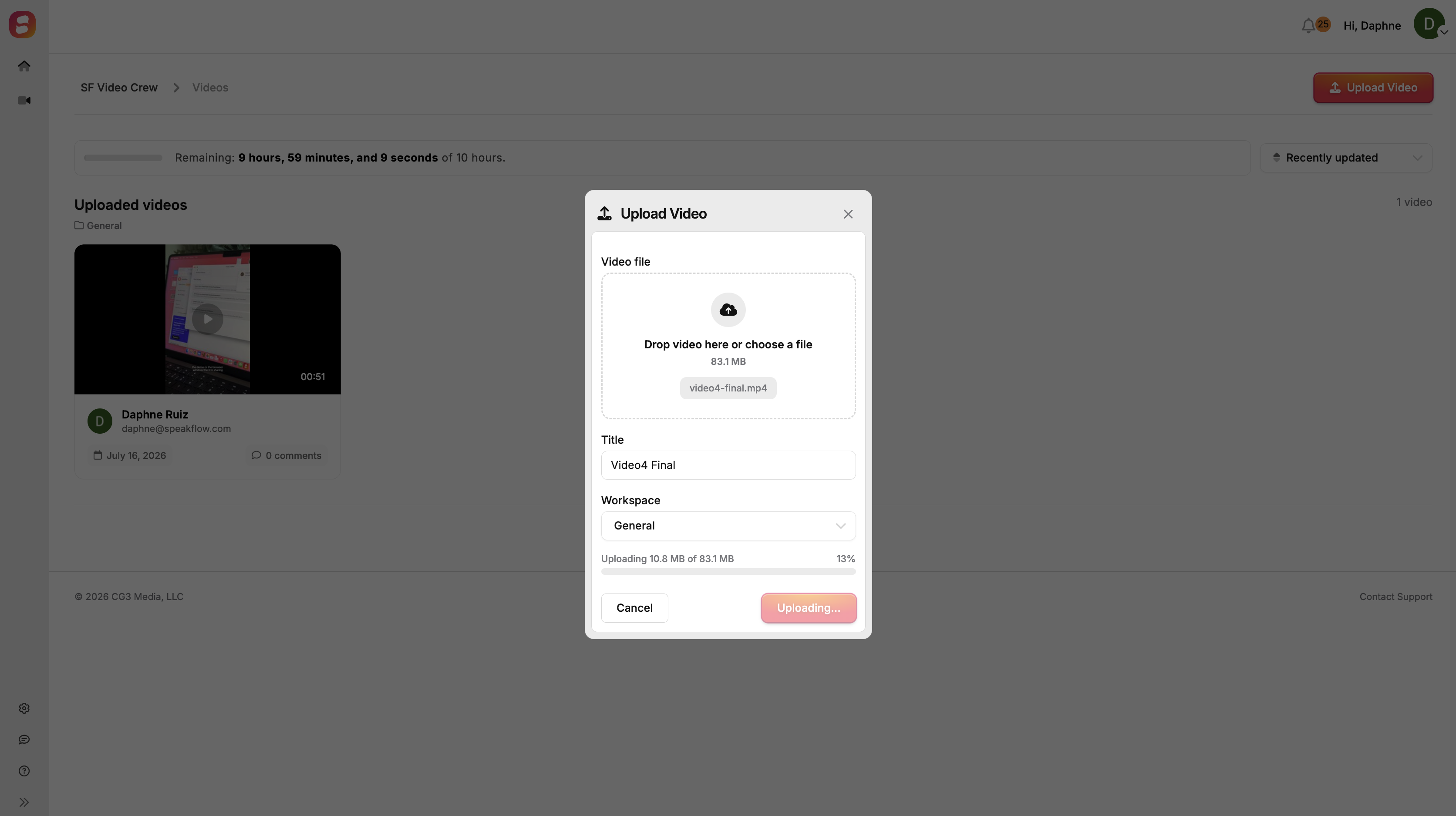
Upload videos recorded outside of Speakflow Screenshot 2026-07-16 at 10.32.23 AM.png411.54 KB
Upload externally recorded videos to a Speakflow workspace.
Review them alongside the original script.
Collect comments and feedback in the same place as the rest of the project.
This gives you one review process, even when you record with another camera or editing tool.
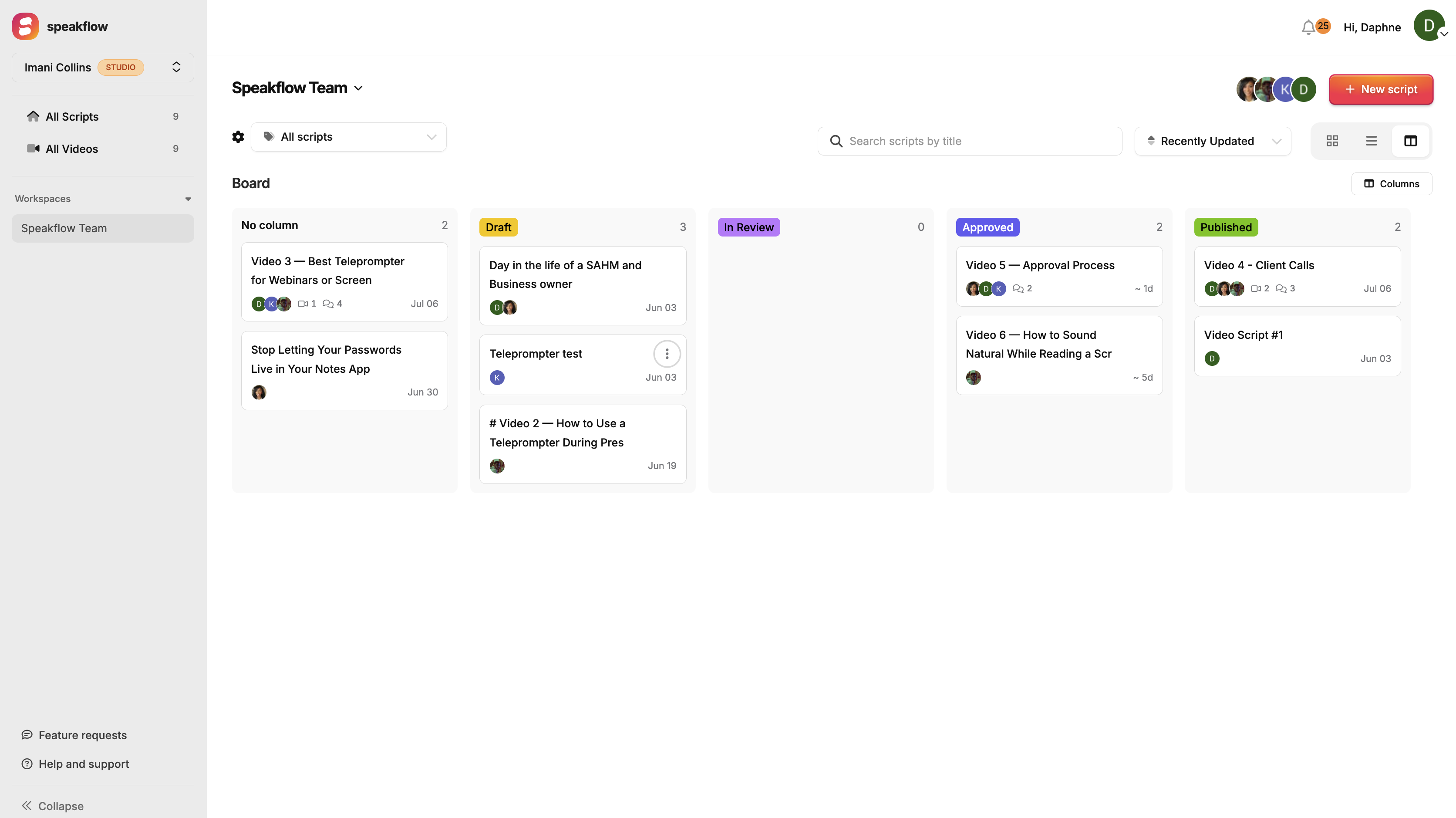
Track scripts with board viewScreenshot 2026-07-16 at 10.26.36 AM.png435.98 KB
Board view makes it easier to manage a course, content calendar, marketing campaign, or series of company updates without opening every script individually.
Improvements
All Plans
Easier script organization
Drag and drop scripts directly into workspaces.
Organize content by project, course, client, campaign, or video series.
Faster access to recorded videos
Open the More menu in the script editor.
Select View Videos to find every recording connected to that script.
Plus and Studio Plans
More control for team editors
Editors can now manage folders and labels.
Teams can share more of the day-to-day organization without giving everyone full workspace access.
Higher-quality recording
Speakflow recordings now look cleaner and sharper.
Fixes
All Plans
Ordered list markers now display correctly in the teleprompter view.
A corresponding fix for the script editing view is still on the way.
Guests opening a shared script are now taken directly to the presentation view instead of seeing an error.
More on the way
These updates give creators, educators, entrepreneurs, and teams a clearer way to move from the first draft to the final video without losing track of feedback or progress.