Creating a script has always been something that is perceived as difficult. Especially if the script is being made for public consumption. A lot of questions usually flow through the mind of content creators when they want to write scripts for their videos. These questions become even bulkier when these scripts are for YouTube videos.

Writing a good script for YouTube is no joke, it takes a lot of technical know-how, style, and dedication to create one that meets the general audience standard. So without wasting any more time, let's handle some questions that may flow through your mind when you're creating scripts for your YouTube video content.
How long they should be?
Ideally, the standard YouTube video ranges anywhere between 5 minutes and 15 minutes. That is not to say that your video can't be less than 5 minutes or more than 15 minutes. Endeavor to make sure your video length matches your content, so that you won't be wasting people's time saying things they don't want to hear.
How many words and why?
In terms of how many words you need to write for your script, you have to put into consideration how many minutes your video would be. To get a good idea of how many words a script contains, see it this way, a 1,500 word script makes 10 minutes. So, If you can work out the math, then you'd understand how many words you need. Word count is quite important because it gives you a clear idea of how many minutes your YouTube video would be.
How do you find what to write about?
There's a lot of untapped content in the world. But we aren't advising you to brainstorm your mind out, just select a topic you're efficiently good at and start making content on it. It may be something on creating a great resume for LinkedIn, How to make a cultural dish, a review of a movie you recently watched, etc. The options are infinite, just pick something you're good at and start writing.

What makes a script good?
A good script hooks in a viewer, keeps them invested throughout the video, and leaves them with a takeaway.
A good script hooks in a viewer, keeps them invested throughout the video, and leaves them with a takeaway. You just have to make sure it has all the necessary components well-pieced together.
Hook: This is where you pique your viewer's interest, making them want to see how the video turns out.
Intro: Your intro should be sweet and catchy. Always introduce the problem or pain point you wish to talk about.
Body: Make sure your content is informative.
Conclusion/Takeaway: Leave the audience with value, something they can apply to their endeavors or share with others. Or even just an emotion.
A good script still has to give people a reason to keep watching. It can teach them something, tell a great story, make them laugh, or ideally do a little of each. Creators like Peter McKinnon, Matt D’Avella, and MKBHD are good examples of how much a strong script can shape a video, but the words on the page only get you so far. How you deliver them matters too.
Intro: Your intro should be sweet and catchy. Always introduce the problem or pain point you wish to talk about.
Body: Make sure your content is informative.
Conclusion/Takeaway: Leave the audience with value, something they can apply to their endeavors or share with others. Or even just an emotion.
A good script still has to give people a reason to keep watching. It can teach them something, tell a great story, make them laugh, or ideally do a little of each. Creators like Peter McKinnon, Matt D’Avella, and MKBHD are good examples of how much a strong script can shape a video, but the words on the page only get you so far. How you deliver them matters too.
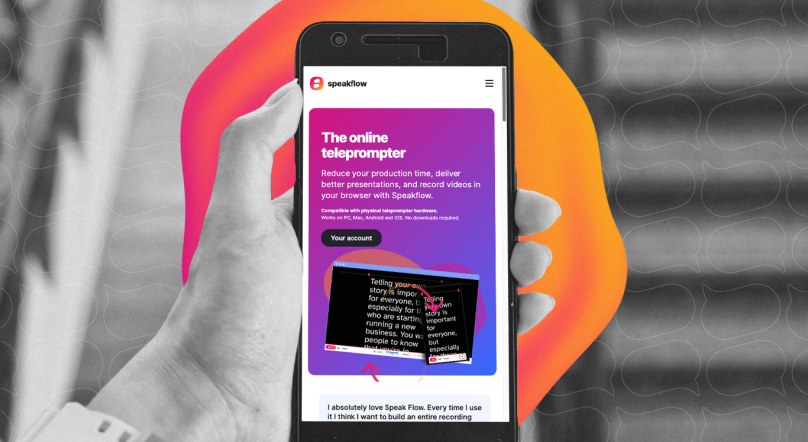
Speakflow’s browser teleprompter lets you keep your script in front of you while you record, and Flow Mode follows along with your voice so you can speak at your own pace instead of trying to keep up with a fixed scroll.
You can open Speakflow in your browser on a computer, tablet, or phone, or download the Desktop App when you want to keep your script over the apps you’re recording or presenting in.