Organize your scripts with drag-and-drop folders, lasso select, and bulk actions.
drag-and-drop-folders.png2.45 MB If you've got more than a dozen scripts in Speakflow, you've probably felt the pain. Scrolling through a long list, trying to find that video intro you wrote last month. We did too. So we built something better.
We just shipped folders. Not the boring kind where you click through menus -- the kind that actually makes organizing your scripts fast.
What's New
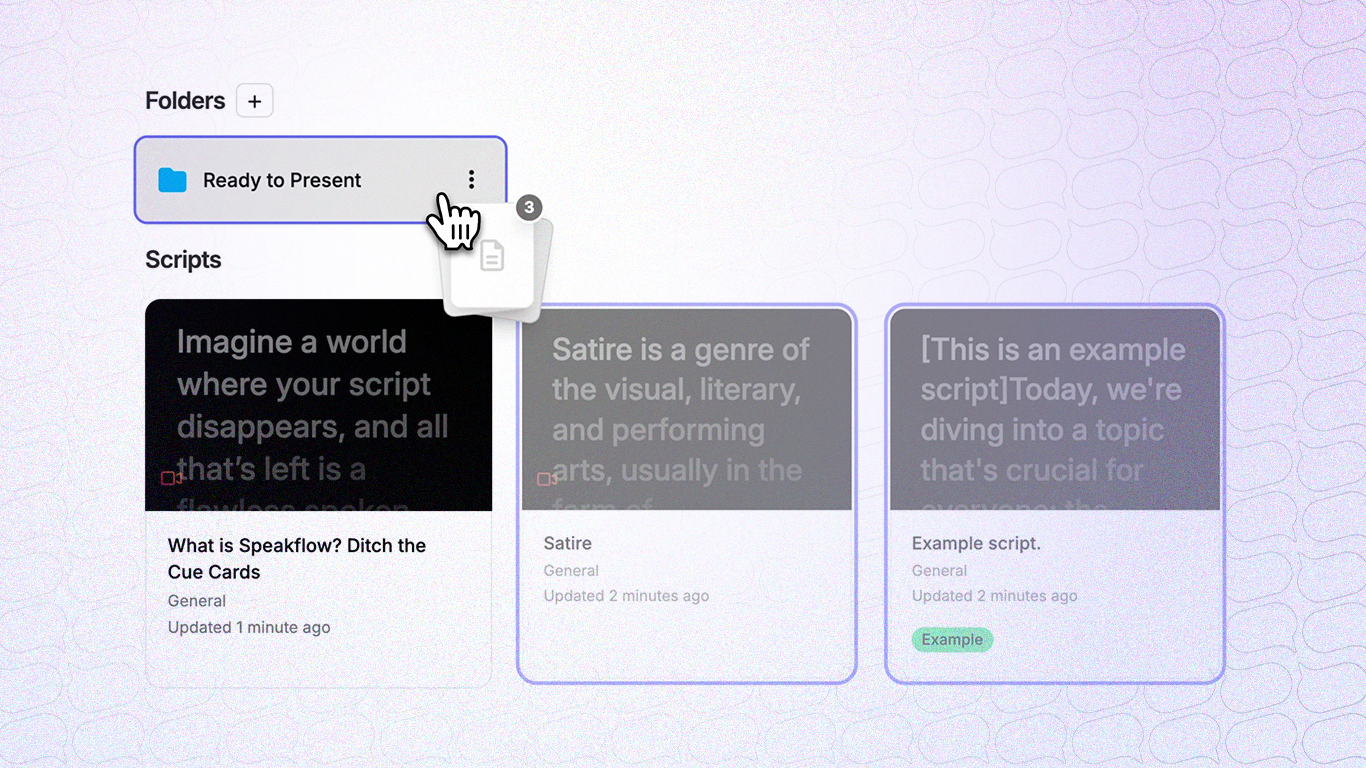
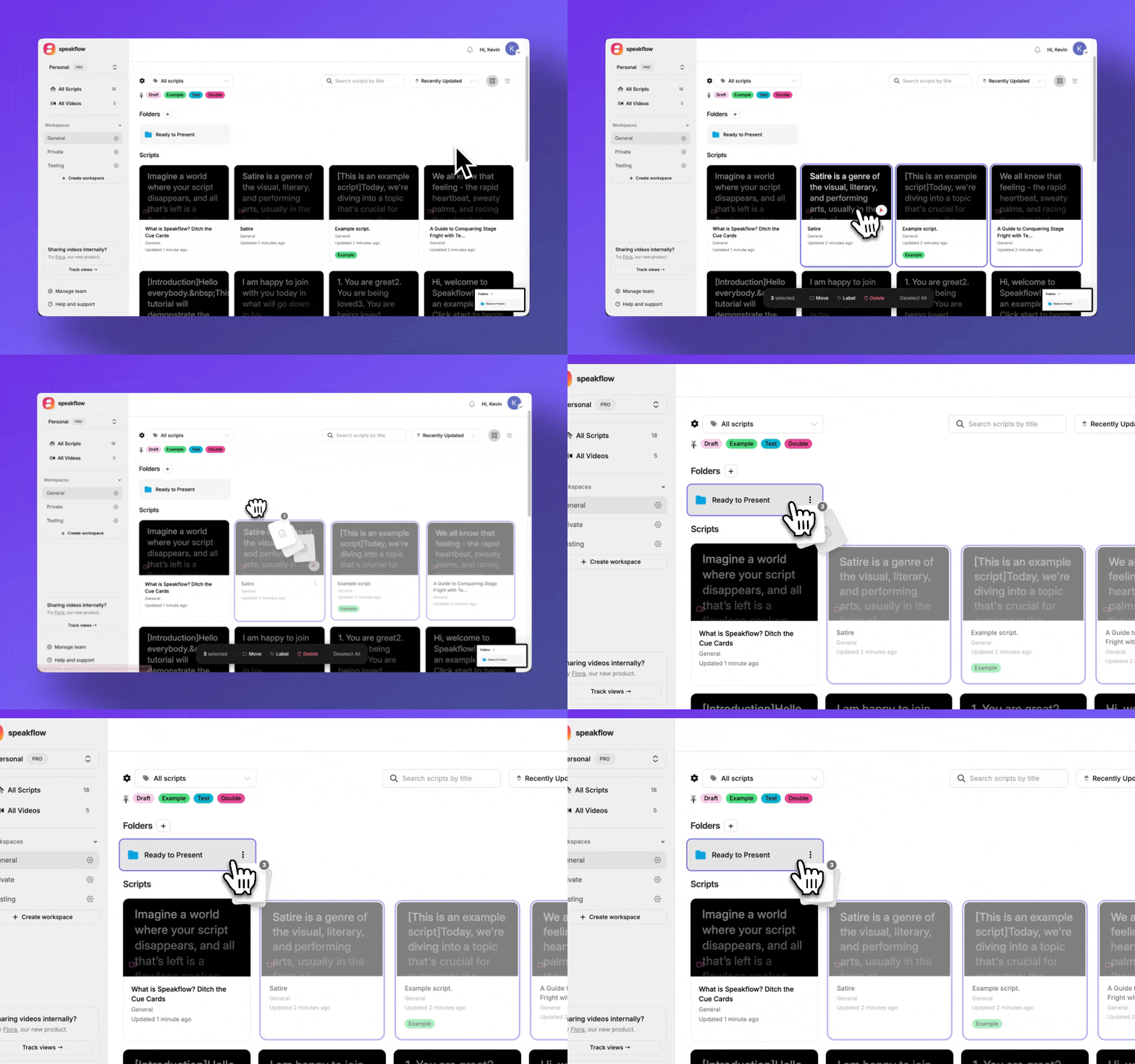
Drag to organize. Select one script or twenty, then drag them onto a folder. That's it. No modals, no dropdowns, no extra clicks. Just grab and drop.
Lasso select. Click and drag to draw a box around multiple scripts. Like selecting files on your desktop. Feels obvious once you use it.
Cleaner workspace. Scripts inside folders stay in their folders -- they don't clutter up your main view. Open a folder to see what's inside, close it to focus on everything else.
Bulk actions. Select a bunch of scripts and move them all at once. Or delete them. A little confirmation dialog keeps you from accidentally nuking your best work. folders-drag-and-drop.gif7.79 MB
Why We Built It This Way
Most folder systems feel like filing cabinets. Click to open, click to create, click to move.. it adds up.
We wanted something closer to how you'd organize papers on a desk. Grab a stack, put it somewhere. Done. The interface should get out of your way.
The Dropbox-style "hide organized stuff" approach was a conscious choice. When you put a script in a folder, you're saying "I know where this is." You don't need to see it in two places.
Screenshot 2026-02-03 at 12.45.04 PM.png303.33 KB
How to Use It
If you already have scripts in Speakflow:
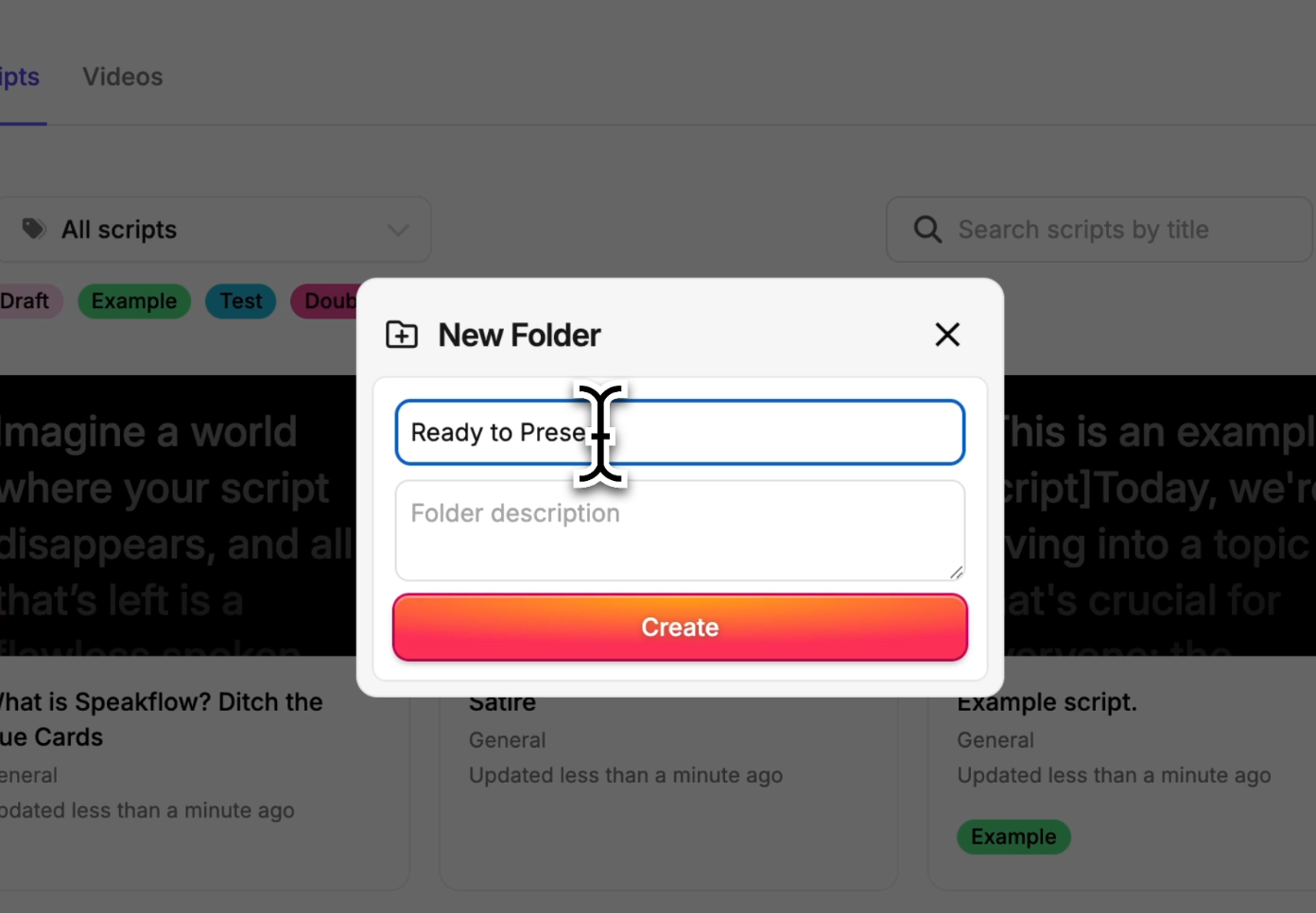
Click "New Folder" in your script library
Give it a name (client name, project, whatever makes sense)
Drag scripts onto it -- or select multiple and drag them all at once
That's it lol, that's the whole tutorial.
What's Next
We're treating this is as a v1. We'll see how you guys use it and collect feedback. Some things we're thinking about:
Nested folders (maybe -- might be overkill for most users)?
Folder colors or icons?
Quick-move keyboard shortcuts
If you've got opinions, hit us up. We read everything!
Open Speakflow in your browseron your computer or phone to create your script and use the teleprompter while you record.
You can also pair your setup with Speakflow’s Desktop App, which keeps your script on your computer and lets you position it over the apps you’re presenting or recording in.